
On-Page SEO Basics: A Beginner's Guide to Better Rankings
On-Page SEO Basics: A Beginner’s Guide to Better Rankings
On-page SEO is the set of content, HTML, and UX techniques you control directly on each page to help search engines and AI systems understand, rank, and surface your content. Unlike off-page tactics like link building, every item on this list is yours to fix today.
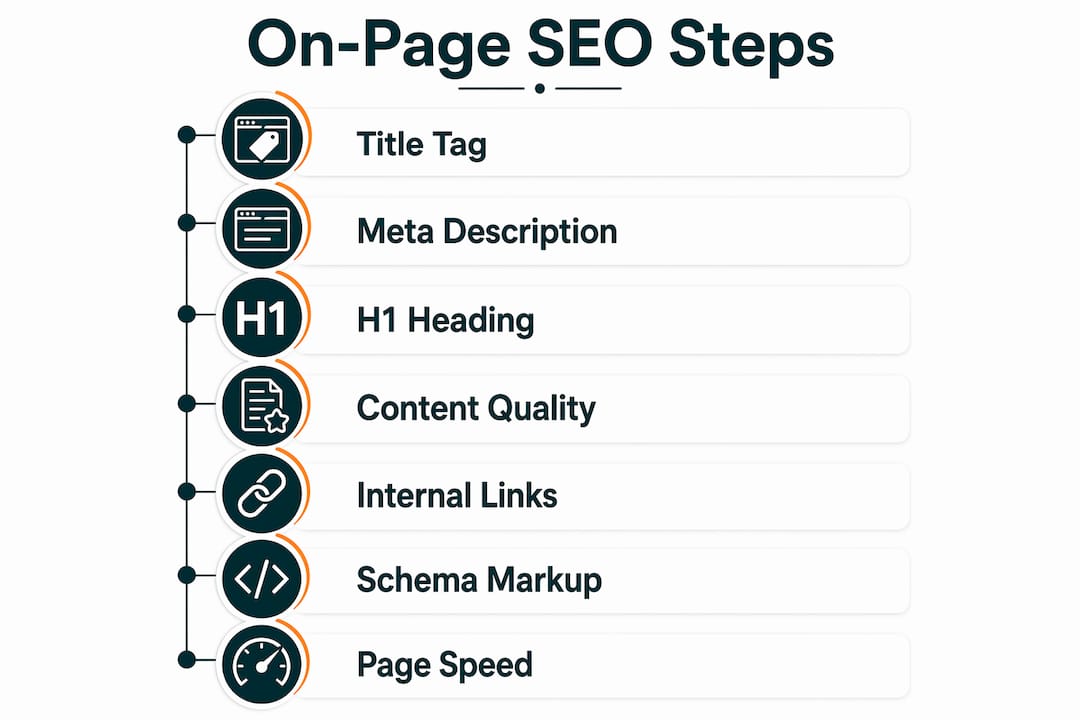
Here are the eight actions to run first:
- Target keyword and intent: Identify one primary keyword and confirm whether the searcher wants information, a product, or a how-to answer.
- Title tag: Write a descriptive title that includes your keyword and stays within 50–60 characters.
- Meta description: Draft 145–155 characters of compelling copy with a clear call to action.
- H1 and heading structure: Use one H1 per page; add H2/H3 subheadings that mirror your content outline.
- Body content: Open with a direct answer to the query, then support it with short paragraphs and relevant subtopics.
- URL slug: Keep it short, descriptive, and keyword-rich; drop dates and session parameters.
- Image alt text: Write a brief, descriptive alt attribute for every image; rename files to match the topic.
- Page speed check: Run PageSpeed Insights and note any critical issues.
Quick wins exist on every page, but on-page SEO is iterative. You will revisit these elements as rankings shift and content ages.
Table of Contents
- What on-page SEO covers and who owns each part
- Why on-page SEO matters for discovery, relevance, and trust
- Your on-page SEO checklist: step-by-step tasks for each element
- How to target search intent and make pages extractable by AI
- Technical on-page items that commonly affect rankings
- Which tools help you run on-page SEO checks?
- How to audit on-page SEO and set a cadence for updates
- Key Takeaways
- The part most beginners get wrong about on-page SEO
- Ranksector handles the content side of this checklist for you
- Useful sources and tools to go deeper
What on-page SEO covers and who owns each part
On-page SEO covers every element that lives on a single page: the written content, HTML tags, heading hierarchy, internal links, URL structure, images, and structured data. If you can edit it in your CMS or source code without contacting another website, it is on-page. Off-page SEO, by contrast, covers signals that originate elsewhere, such as backlinks, brand mentions, and social signals. You cannot control those directly, which is exactly why on-page is the right place to start.
Who owns what:
- Content creator: keyword research, body copy, heading structure, internal links, meta descriptions, image alt text
- Site owner / marketer: title tags, URL slugs, schema markup, canonical tags, index/noindex decisions
- Developer: page speed fixes, render-blocking scripts, responsive design, HTTP status codes, hreflang implementation
That division matters for small teams. A solo founder can handle most content and HTML tasks without developer help. The technical items, especially Core Web Vitals fixes and server-level redirects, usually need a developer or a platform with built-in controls.
On-page vs. off-page at a glance:
- On-page: content quality, title tags, meta descriptions, headings, URLs, images, schema, speed, internal links
- Off-page: backlinks, domain authority signals, brand mentions, social proof, local citations
Start on-page. It is the fastest lever for improving how a specific page performs in search, and it sets the foundation that makes off-page efforts count. Understanding how search engines rank websites helps clarify why each on-page element carries weight.
Why on-page SEO matters for discovery, relevance, and trust
On-page SEO is what gets a page indexed, matched to the right query, and clicked. Search engines crawl your HTML to determine what a page is about. If your title tag, headings, and body copy all reinforce the same topic, the page is far more likely to appear for that query. Without that alignment, even a well-written page can sit invisible on page four.

Relevance goes deeper than keyword matching. Google’s systems evaluate whether your content genuinely answers the searcher’s question, which is why answer-first writing has become a core on-page best practice. Pages that lead with a direct answer tend to earn higher click-through rates and longer dwell times, both of which send positive engagement signals back to search engines.
Trust signals are increasingly tied to on-page choices. E-E-A-T (Experience, Expertise, Authoritativeness, and Trustworthiness) is Google’s framework for evaluating content quality. Author bylines, cited sources, clear headings, and accurate facts all contribute. A page that looks authoritative and reads clearly tends to perform better than one stuffed with keywords but light on substance.
Statistic callout: Meta descriptions recommended at 145–155 characters give search engines enough copy to display a compelling snippet without truncation, directly affecting whether a searcher clicks your result over a competitor’s.
AI systems like ChatGPT, Perplexity, and Google’s AI Overviews also pull from well-structured pages. Schema markup, clear headings, and concise answer paragraphs increase the odds that your content gets cited or surfaced in an AI-generated answer.
Your on-page SEO checklist: step-by-step tasks for each element
Work through this list one page at a time. For each item, the goal is clear: know what to check, how to fix it, and what “good” looks like.
-
Target keyword and intent. Pick one primary keyword and three to five semantically related subtopics. Confirm the intent type: informational (the searcher wants to learn), transactional (they want to buy), or navigational (they want a specific site). Mismatching intent is one of the most common reasons a well-optimized page fails to rank. Tool: Google Search Console for query data.
-
Title tag. Include your primary keyword, keep the tag at 50–60 characters, and write it to earn the click, not just to describe the page. A title like “On-Page SEO Basics: A Beginner’s Guide” outperforms “On-Page SEO Information Page” because it signals value and matches what the searcher typed. Tool: Search Console’s Performance report to check CTR by page.
-
Meta description. Write 145–155 characters of copy that acts like a short ad. Include a benefit and a soft call to action (“Learn the eight steps,” “See the full checklist”). Leaving this blank lets Google auto-generate a snippet that may not include your strongest selling point.
-
URL slug. Keep it short and descriptive.
/on-page-seo-basicsbeats/blog/post?id=4421&cat=seo&date=2026. Drop unnecessary dates, session IDs, and filler words. Short, descriptive URLs help both users and crawlers understand the page topic at a glance. -
H1 and heading hierarchy. Use exactly one H1 per page; it should match or closely reflect your title tag. Add H2 subheadings for major sections and H3s for subsections. A well-structured heading hierarchy acts as an outline for search engines and AI systems, making it easier to extract the page’s main claims.
-
Content quality and structure. Open with a direct answer to the query in the first one to two sentences. Use short paragraphs, cover the subtopics your audience expects, and include supporting facts with internal links to related pages. Thin content, defined as pages that answer only part of the question, consistently underperforms against pages that cover the topic fully.
-
Internal linking. Link to cornerstone pages using descriptive anchor text that reflects the destination’s topic. Vary your anchor phrasing across pages to avoid over-optimization signals. A page about on-page SEO basics, for example, might link to a technical SEO guide using the anchor “technical SEO fundamentals” rather than repeating the same phrase every time.
-
Image optimization. Rename image files to describe their content (
on-page-seo-checklist.pnginstead ofIMG_4421.png). Compress images to reduce file size without visible quality loss. Add a descriptive alt attribute to every image for accessibility and to give search engines additional context about the page topic. -
Schema and structured data. Add basic schema types where they fit: Article for blog posts, FAQ for question-and-answer sections, HowTo for step-by-step guides. Schema markup improves the odds of earning featured snippets and increases the likelihood that AI answer systems can extract and cite your content accurately.
-
Page speed and mobile friendliness. Run PageSpeed Insights and Google Lighthouse on your most important pages. Fix large uncompressed images first, then address render-blocking JavaScript. Google’s mobile-first indexing means a page that loads slowly on a phone is penalized even if the desktop version is fast.
-
Canonical tags and indexing. Add a canonical tag to every page pointing to its preferred URL. Set pages you do not want indexed (thank-you pages, duplicate content) to
noindex. Confirm your sitemap is submitted in Google Search Console and that no important pages are accidentally blocked byrobots.txt.
Pro Tip: Write your opening paragraph as a direct, concise answer to the query before adding any context or background. This single habit improves both human readability and the odds that an AI system will extract and cite your answer.
For a deeper look at technical SEO basics that support this checklist, including sitemaps and Core Web Vitals, that guide covers the developer-side items in detail.
How to target search intent and make pages extractable by AI
Search intent is the reason behind a query. Get it wrong and even a technically perfect page will not rank. A page targeting “on-page SEO” with a transactional framing (buy a service) will lose to an informational page (explain the concept) because Google can see from click patterns what most searchers actually want.
Answer-first writing is the practical response to this. Here is a short example of the pattern:
That opening gives a search engine, and an AI system, a complete, citable answer in two sentences. Everything after it adds depth. Understanding how search intent drives content strategy is the next step once you have the basics down.
Semantic structuring reinforces intent signals. Use clear H2 and H3 headings that mirror the questions your audience asks. Use bullet lists and labeled data where possible, because machine-readable formatting helps LLMs extract specific facts. Avoid burying your main claim in the middle of a long paragraph.

Schema markup and entity clarity take this further. Adding FAQ schema to a question-and-answer section, or HowTo schema to a step-by-step guide, gives AI systems a structured signal about what the content contains. On-page SEO now includes optimization for AI visibility: semantic structuring, entity clarity, and machine-readable formatting like schema help LLMs extract and cite content.
Pro Tip: Include short, explicit definitions for key terms within the body of the page. A sentence like “Core Web Vitals are Google’s three page-experience metrics: LCP, INP, and CLS” gives an LLM a clean, citable fact it can surface in an AI answer.
Technical on-page items that commonly affect rankings
Technical on-page elements are the ones most beginners skip because they feel intimidating. They should not be skipped. A fast, well-structured page with helpful content improves E-E-A-T and ranking potential more than focusing on content alone.
Core Web Vitals are Google’s three page-experience metrics:
- LCP (Largest Contentful Paint): measures how long the largest visible element takes to load. Target under 2.5 seconds. Fix: compress hero images, use a CDN.
- INP (Interaction to Next Paint): measures responsiveness to user input. Fix: reduce JavaScript execution time and defer non-critical scripts.
- CLS (Cumulative Layout Shift): measures visual stability. Fix: set explicit width and height on images and embeds so the page does not jump as it loads.
Lighthouse and PageSpeed Insights identify specific fixes for each metric, including image optimization and render-blocking JavaScript. Run both tools on your highest-traffic pages first.
Mobile friendliness is non-negotiable. Google indexes the mobile version of your page first. Check that text is readable without zooming, buttons have adequate tap targets, and no content is hidden behind horizontal scrolling. Google Search Console’s “Mobile Usability” report flags specific issues by page.
Indexability checks to run on every new page:
- Confirm the page is not blocked by
robots.txt - Verify the canonical tag points to the correct URL
- Check for a
noindexmeta tag that may have been left from a staging environment - Submit the URL in Search Console and confirm it is indexed
Common technical mistakes that quietly hurt rankings: duplicate title tags across multiple pages, more than one H1 on a page, missing canonical tags on paginated content, and heavy third-party scripts (chat widgets, ad trackers) that add several seconds to load time. Why page speed affects rankings covers the specific mechanisms in more depth.
Which tools help you run on-page SEO checks?
Three free tools cover most of what a beginner needs.
Google Search Console is the starting point. It shows which queries bring users to each page, the average position and click-through rate for each query, indexing status, mobile usability issues, and Core Web Vitals data. After making on-page changes, use the URL Inspection tool to request re-indexing and then monitor the Performance report over the following two to four weeks.
PageSpeed Insights runs a real-world speed test on any URL and returns a score from 0–100 for both mobile and desktop, along with specific recommendations ranked by impact. Fix the “Opportunities” items first; they have the largest effect on load time.
Lighthouse is built into Chrome DevTools and runs the same tests as PageSpeed Insights but locally, which is useful for testing pages that are not yet live. It also audits accessibility and best practices alongside performance and SEO.
Beyond those three, a few additional tools add value:
- A basic site crawler (such as Screaming Frog’s free tier, which crawls up to 500 URLs) surfaces missing title tags, duplicate meta descriptions, broken internal links, and missing alt text across your whole site in minutes.
- Schema validators (Google’s Rich Results Test) confirm that your structured data is correctly formatted before you publish.
- Image optimizers (Squoosh, TinyPNG) compress images without visible quality loss before upload.
Key metrics to watch after making changes:
- Impressions and average position in Search Console (look for sustained movement over two to four weeks, not day-to-day noise)
- CTR by page (a rising position with a flat CTR often means the title or meta description needs work)
- PageSpeed score and Core Web Vitals pass/fail status
- Organic sessions in your analytics platform, segmented by landing page
For tracking keyword position changes over time, a dedicated keyword position tracking workflow helps you separate signal from noise.
How to audit on-page SEO and set a cadence for updates
A one-time optimization is not enough. On-page SEO is continuous: regular audits and content refreshes often beat one-off page creation when it comes to maintaining or improving rankings. Here is a repeatable sequence.
- Identify the pages to audit. Pull your top 20 pages by organic traffic from Search Console. Add any pages that rank on page two (positions 11–20) for their target keyword, since those are the highest-leverage improvement opportunities.
- Run quick technical checks. Use PageSpeed Insights and a site crawler to flag speed issues, broken links, missing tags, and indexing errors. Fix critical technical issues before touching content.
- Evaluate content against intent. Read the page as a first-time visitor. Does the opening answer the query directly? Does the content cover the subtopics a searcher would expect? Compare your page to the top three ranking results for the same keyword and identify gaps.
- Prioritize by traffic and potential impact. Use the matrix below to decide what to fix first.
- Record changes and measure. Log every change with a date and a one-line description. Check Search Console two to four weeks later to see whether impressions, position, or CTR moved.
Prioritization matrix:
| Task | Impact | Effort | Priority |
|---|---|---|---|
| Fix title tag and meta description | High | Low | Do first |
| Compress images and fix speed issues | High | Low | Do first |
| Add schema markup to top pages | Medium | Low | Do next |
| Rewrite thin content sections | High | High | Schedule |
| Build internal links to key pages | Medium | Medium | Schedule |
| Full technical audit (crawl + CWV) | High | High | Quarterly |
Recommended cadence:
- Weekly: Check new content for basic on-page elements before publishing (title, meta, H1, alt text, internal links).
- Monthly: Review top pages in Search Console; refresh any page that has dropped more than three positions.
- Quarterly: Run a full site crawl, audit Core Web Vitals, and review your internal linking structure.
Monitoring competitor keyword rankings alongside your own data helps you spot when a competitor has updated their content and is gaining ground on a shared keyword.
Key Takeaways
On-page SEO is the fastest lever you control: fix title tags, meta descriptions, and page speed on your top pages first, then build from there with schema, content quality, and a regular audit cadence.
| Point | Details |
|---|---|
| Start with title and meta | Fix title tags (50–60 characters) and meta descriptions (145–155 characters) on your top five pages for immediate CTR gains. |
| Answer-first content wins | Open every page with a direct, two-sentence answer to the query to satisfy both users and AI extraction systems. |
| Speed and mobile are table stakes | Run PageSpeed Insights and Lighthouse on high-traffic pages; fix image compression and render-blocking scripts first. |
| Audit on a regular cadence | Weekly checks for new content, monthly reviews for top pages, and quarterly technical audits keep rankings stable. |
| Ranksector automates the workflow | Ranksector publishes daily SEO-optimized articles with internal linking suggestions and direct CMS publishing, covering the content side of this checklist at scale. |
The part most beginners get wrong about on-page SEO
Most beginners treat on-page SEO as a one-time setup task. They optimize a page at launch, move on, and wonder why rankings plateau or slide six months later. The reality is that on-page work is closer to maintenance than construction. Search intent shifts, competitors update their content, and Google’s understanding of a topic evolves. A page that ranked well in January can lose ground by April simply because a competitor added a more complete answer.
The other common mistake is optimizing in the wrong order. Beginners often spend hours on schema markup before fixing a title tag that is 80 characters long and truncated in every search result. The checklist in this guide is sequenced deliberately: title, meta, headings, and content quality first, because those elements have the broadest impact. Schema and technical fixes matter, but they amplify a strong content foundation rather than substitute for one.
One thing worth knowing that most guides skip: internal linking is often the highest-ROI task on a mature site. A well-placed internal link from a high-authority page to a lower-ranked page can significantly improve that page’s ranking faster than new content creation. Vary your anchor text, link to pages that genuinely deserve more authority, and revisit your internal link structure every quarter.
Ranksector handles the content side of this checklist for you
Executing this checklist manually across dozens of pages takes real time, especially for small teams with no dedicated SEO staff. Ranksector gives B2B SaaS founders and small business owners a faster path: daily, fully formatted, SEO-optimized articles published directly to your CMS, with internal linking suggestions built in and keyword research driven by competitor analysis.
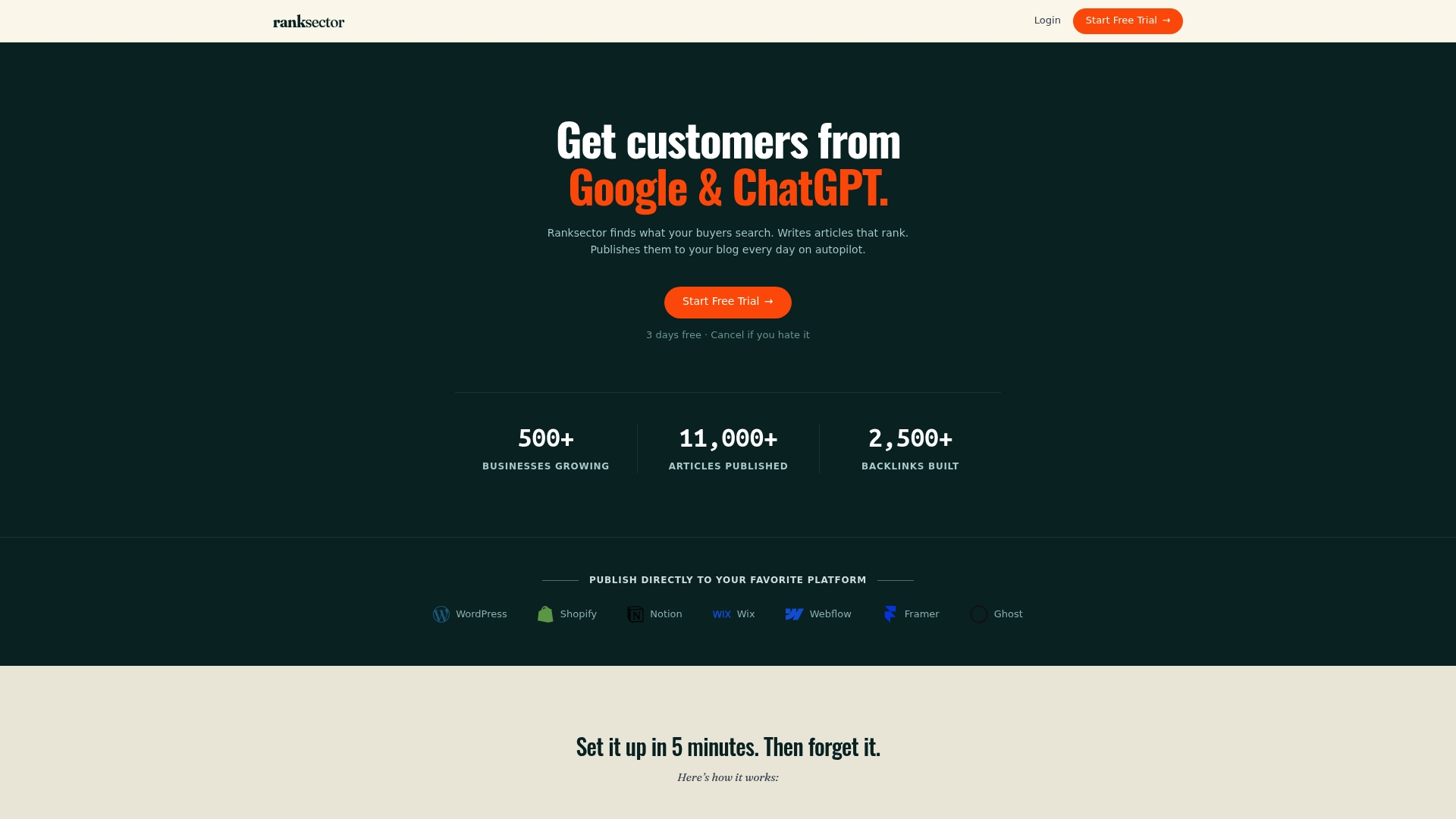
Over 11,000 articles published through the platform demonstrate what consistent, structured content output does to domain authority over time. The content side of the checklist, including title tags, meta descriptions, heading structure, answer-first openings, and internal links, is handled automatically. Technical fixes like Core Web Vitals and canonical tags still require a developer or your platform’s built-in tools; Ranksector does not replace that work. But for teams that struggle to publish consistently, it removes the biggest bottleneck.
Try Ranksector’s free tools to see the workflow in action, or explore the full platform if you are ready to scale content publishing without adding headcount.
Useful sources and tools to go deeper
These are the primary sources and tools referenced throughout this guide.
- Yoast: What is on-page SEO? — Clear beginner-level definition of on-page elements and scope; a reliable starting point.
- Backlinko: On-Page SEO Definitive Guide — Detailed, example-rich guide covering title tags, content structure, schema, and URL best practices.
- Similarweb: Complete On-Page SEO Checklist — Covers answer-first writing and meta description length guidance with practical examples.
- Search Engine Journal: Complete Guide to On-Page SEO — In-depth coverage of heading hierarchy and how structure helps both users and search engines.
- Search Engine Land: What is on-page SEO? — Authoritative overview of internal linking best practices and on-page scope.
- Ahrefs: On-Page SEO Guide — Practical guidance on Core Web Vitals, Lighthouse, and speed optimization.
- HubSpot: Step-by-Step On-Page SEO Guide — Covers AI visibility, semantic structuring, and schema for modern on-page optimization.
- Google PageSpeed Insights — Run speed and Core Web Vitals checks on any live URL; the best first tool to open.
- Google Search Console — Monitor indexing, query performance, CTR, and mobile usability for every page on your site.
Start with Search Console and PageSpeed Insights. Between those two free tools, you will surface the majority of on-page issues worth fixing on any site.
Recommended
- Types of SEO Quick Wins for Faster Rankings in 2026 · Ranksector Blog — Ranksector
- How Search Engines Rank Websites: 2026 Guide · Ranksector Blog — Ranksector
- Technical SEO Basics for Entrepreneurs: 2026 Guide · Ranksector Blog — Ranksector
- Scrappy SEO Strategies: Low-Cost Examples That Work · Ranksector Blog — Ranksector