
When to Update Old Blog Posts (and How to Do It Right)
Updating a post already ranking on page one or two almost always beats writing something new from scratch, because you’re building on authority Google already trusts instead of starting at zero. The move is simple: audit the post’s Search Console data, rewrite the content and metadata where the signals point, then repromote it. Expect early movement within a few weeks and stable ranking shifts to take several months.
TL;DR:
- Updating existing high-middle ranking posts is more effective than creating new content because it leverages existing trust and authority.
- Prioritize posts in search positions 6 to 20 with decent impressions but low CTR, especially if related to revenue-generating queries.
- Before editing, analyze search traffic trends, query intent, technical health, and content gaps to diagnose issues accurately.
- When refreshing, focus on rewriting titles and meta descriptions, updating content with recent data, fixing links, and adding structured data where relevant.
- Avoid URL changes without proper redirects, and only update the timestamp for substantial edits to maintain trust and rankings.
Table of Contents
- How Do You Decide Which Old Posts to Update First?
- What Should You Check Before You Touch a Single Word?
- What Exactly Should You Change During the Refresh?
- When Should You Merge, Redirect, or Leave Overlapping Posts Alone?
- Should You Republish Updated Posts or Just Update the Timestamp?
- How Long Does It Take to See Results From an Update?
- Which Mistakes Quietly Undo a Content Refresh?
- What Proof Points Back Up This Refresh Workflow?
- Automation or Manual Rewrite: Which One Actually Fits Your Post?
- How Can Ranksector Help You Scale This Refresh Process?
- Where Can You Verify This Refresh Guidance Further?
- Sources
How Do You Decide Which Old Posts to Update First?
Not every stale post deserves your afternoon. Some are dead weight; others are one solid rewrite away from doubling their traffic. The difference shows up in Search Console, not in your gut feeling about which posts “feel” important.
Pull the Performance report and export impressions, clicks, average CTR, and average position for every URL over an extended recent period, then filter for pages sitting in mid-range search positions. That band is the sweet spot: Google already considers the page relevant enough to show it repeatedly, but it’s stuck below the fold. A post in position 45 usually has a deeper problem (thin content, wrong intent, weak backlinks) that a light refresh won’t fix. A post in position 3 might not need your time at all.
Once you’ve got that list, run it through a simple impact-times-effort scorecard. Score each candidate 1 to 5 on two axes: business value (does this topic touch a product page, a high-intent query, a conversion path?) and effort required (does it need three new sections, or just a title and a couple of internal links?). Search Engine Land’s guidance on refreshing content recommends this kind of scoring sheet specifically to triage large inventories, filtering by impressions and position first, then ranking the shortlist by business value against technical lift.
Practical filters that speed up the triage:
- Impressions above your site’s median, but CTR below 3%, which usually points to a title and meta description problem rather than a content problem.
- Position between 6 and 20 on queries tied to revenue, not just traffic volume.
- Posts that are not recent but still touch a topic your business actively sells against.
- Pages with declining impressions year over year, since that often signals a competitor outranked you with something newer.
Skip posts with almost no impressions at all. If nobody’s finding it, no amount of editing changes that until you fix the underlying relevance or backlink problem.
What Should You Check Before You Touch a Single Word?
Editing before you diagnose is how people waste a weekend rewriting sections that were never the problem. Run this sequence first, and treat it as non-negotiable.
- Compare two Search Console date ranges. Pull the last 3 months against the same 3 months a year earlier for that URL. A steady decline points to content decay or a stronger competitor; a sudden drop points to a technical issue or an algorithm update.
- Check the actual queries driving impressions, not just the keyword you originally targeted. You’ll often find the post ranks for questions you never answered, which tells you exactly what subtopic to add.
- Search your target queries yourself and study what’s ranking now. Note the format: are top results listicles, comparison tables, video, or long narrative guides? If the SERP shifted toward “best X tools” and your post is a definition-style explainer, that mismatch alone can cap your position.
- Run technical checks: confirm the page is indexed, mobile rendering looks clean, page speed hasn’t regressed, and the canonical tag points where you expect. A misconfigured canonical can silently suppress a page that otherwise looks fine.
- Build a content gap list — missing subtopics competitors cover, statistics older than two years, dead outbound links, and any claim that no longer matches current tools or pricing.
Mind Over Maze’s content refresh framework makes the same point bluntly: a refresh should start with investigation, not editing. Skip that step and you’ll spend hours polishing sentences that were never the reason the post stalled.
What Exactly Should You Change During the Refresh?
This is the part people either overdo or underdo. Overdo it and you spend six hours on a post that needed a title change. Underdo it and you swap a date stamp and wonder why nothing moved. Work through this list in order of typical SEO impact, not the order it’s easiest to do.
- Rewrite the title and meta description for intent and click-through rate. If your SERP research showed searchers want a “best of” format and your title reads like a definition, that mismatch is likely your biggest CTR leak. Keep the URL unchanged unless you’re consolidating multiple pages into one, since changing a URL means managing redirects and risking a temporary ranking dip for no real gain.
- Fill the content gaps you found in the audit. Add the missing subtopics, replace any outdated statistics, and cut claims that no longer hold up. This is also where you strengthen expertise signals: cite recent, credible sources and remove ones that have gone stale or been superseded.
- Replace or optimize every image. Swap outdated screenshots, optimize files for load time, and write descriptive alt text that accurately describes the image.
- Fix every broken link and re-anchor internal links to newer, more relevant posts. A refresh is the natural moment to link to content you’ve published since the original went live, which also helps prevent keyword cannibalization from creeping back in as your site grows.
- Add structured data where it fits. FAQ schema or HowTo schema can win additional SERP real estate, but only add it where the content genuinely matches that format. Schema slapped onto content that isn’t actually a how-to or FAQ tends to get ignored or penalized in rich result eligibility.
- Decide how you’ll show the update to readers. A visible “Updated” date is fair only if you made a meaningful edit. Search Engine Land’s reporting on content refresh best practices is direct about this: don’t just flip the timestamp to fake freshness. That’s a trust problem with readers and, increasingly, a signal Google’s systems are built to discount.
Quick-reference punch list for the actual editing session:
- Title and meta rewritten for the query intent you found in your SERP check.
- At least one new subtopic section addressing a query gap.
- All statistics refreshed or sourced within the last two years.
- Every image compressed, captioned, and given real alt text.
- Internal links updated to point at your newest, most relevant related posts.
- Schema added only where the content structure actually supports it.
Pro Tip: Keep a running “before” screenshot of your Search Console query report for the URL. Six weeks after publishing the update, pull the same report and compare it side by side. That before/after pairing is the single most useful thing you’ll have for judging whether the refresh actually worked, and it doubles as proof if you ever need to justify the time spent to a boss or a client.
When Should You Merge, Redirect, or Leave Overlapping Posts Alone?
Cannibalization shows up when two of your own posts compete for the same query, and Google can’t decide which one to rank, so it splits authority between both and neither performs well. You’ll spot it in Search Console when two URLs show impressions for the same core query, or when rankings swap back and forth between them week to week.

The catch is that overlapping topics don’t automatically mean cannibalization. Yoast’s guidance on keyword cannibalization makes this distinction clearly: if the two pages serve genuinely different search intent, one comparing options and one explaining a concept, merging them can actually hurt performance by forcing two audiences into one page that satisfies neither well.
Use a simple decision matrix:
- Same intent, similar depth: merge into one canonical page.
- Same intent, one clearly stronger: refresh the stronger page, then 301-redirect the weaker one into it.
- Different intent, surface-level keyword overlap: leave both alone, but tighten internal linking so each ranks for its own angle.
- Outdated, thin, and duplicative with no unique angle left: prune it and redirect.
When you do merge, don’t just paste one post into the other live. Clone the stronger post into a draft, pull the unique, still-useful sections from the weaker post into that draft, publish at a single URL, and set a 301 redirect from the old URL. That sequence preserves the backlink equity both pages built up, since 301 redirects carry that link value forward instead of losing it. Once the merge is live, update internal links across your site to point at the surviving URL so you don’t leave orphaned links pointing at a redirect chain. Ranksector’s decision guide on when to consolidate two competing articles walks through this exact triage if you’re staring at a dozen overlapping posts and don’t know where to start.
Should You Republish Updated Posts or Just Update the Timestamp?
Leave the URL and update the visible date only when the edit is substantial. A few new sentences don’t earn a new “Updated” badge, but a rewritten introduction, three new subsections, and refreshed data absolutely do.
- Update the timestamp only after the edit is meaningful, not before. Readers notice when a date changes and the content clearly didn’t.
- Push the update through your usual promotion channels: a newsletter mention, a social repost linking to the refreshed version, and a note to any site you’d want linking back to it.
- Update your related-posts modules and site navigation so the refreshed page surfaces where readers will actually find it, not just where it lived when first published.
- Skip Google’s Refresh Outdated Content tool for your own live pages. If you’ve already edited a page you own, Google will recrawl it naturally on its own schedule. That submission tool exists specifically for content that’s been deleted or substantially removed but still shows outdated snippets in search results, or for third-party pages you don’t control. Using it on a page that still exists and simply got updated does nothing extra.
- Repurpose the refreshed content into a short video, a carousel, or an excerpt for a partner newsletter to get a second wave of attention beyond your own list.
How Long Does It Take to See Results From an Update?
Patience matters here more than most people expect. A refresh doesn’t reorder the SERP overnight, and checking daily just creates false signals from normal ranking noise.
| Measurement window | What to check | What it tells you |
|---|---|---|
| 1 to 2 weeks | Indexing status, initial impressions | Whether Google has recrawled and picked up the changes |
| 6 weeks | Clicks, CTR, average position trend | Early signal on whether the update is moving the needle |
| 3 months | Impressions, conversions, stable position | Whether gains are holding, not just a temporary bounce |
Track impressions, average position, clicks, CTR, and downstream conversions as your five core KPIs. If position and impressions climb but clicks stay flat, your title and meta rewrite likely didn’t fix the CTR problem you thought it did. If everything is flat at the six week mark, don’t panic yet. Rankings often wobble for a few weeks after a significant edit as Google reassesses relevance signals. If nothing has moved by three months, that’s your cue to revisit the SERP intent check and consider whether the page needs a bigger structural change, or whether it’s a merge candidate after all.
Which Mistakes Quietly Undo a Content Refresh?
A handful of avoidable errors show up constantly, and each one can erase the gains from an otherwise solid update.
- Changing the URL without planning redirects. Even a small slug change without a 301 in place can drop a page out of the index temporarily and lose the link equity built over years.
- Editing only the timestamp. A date change with no substantive content update is the fastest way to look stale to both readers and Google’s freshness signals.
- Deleting sections or entire pages that have inbound backlinks, without redirecting them somewhere relevant. Those backlinks represent real authority; losing them for no reason is pure waste.
- Copy-paste errors that break schema markup or formatting, especially when merging two posts and dragging over malformed structured data that was never valid to begin with.
- Treating a refresh as cosmetic. A new header image and a reworded intro paragraph, with no new subtopics or updated facts, rarely moves rankings because the underlying reason the post stalled hasn’t been addressed.
What Proof Points Back Up This Refresh Workflow?
This workflow reflects how Ranksector’s own editorial and audit systems approach content at scale, not theory borrowed from a single case study.
Refreshing a post you already own rarely needs a submission tool or a manual resubmission request. Google recrawls updated pages through its normal indexing cycle, and the real work is making sure the update is substantial enough to matter once that recrawl happens.
Ranksector has published more than 11,000 articles for B2B SaaS and small business clients, which means the audit-and-refresh pattern described above isn’t a one-off checklist, it’s the same triage logic built into the platform’s AI audit tools and keyword research engine. The platform’s internal linking suggestions handle the anchor-updating step from the checklist above automatically, flagging orphaned pages and cannibalization risks as new content gets published, which is the same problem internal linking automation is built to catch before it costs you rankings.
Automation or Manual Rewrite: Which One Actually Fits Your Post?
Automation earns its keep on high-volume, low-differentiation updates: batch title rewrites, broken link fixes, alt text cleanup, and internal link updates across dozens of posts that all need the same category of fix. Trying to do that manually across a 200-post backlog is how refreshes never happen at all.
Flagship posts are a different story. A page that drives a meaningful share of trial signups or sits at the top of your funnel deserves a human sitting with the SERP results, rewriting sections with judgment a script doesn’t have yet. My honest read: most teams don’t fail because they pick the wrong tool, they fail because they apply the same approach to every post regardless of its business value. Sort your list by revenue impact first, hand the long tail to automation, and keep your best three or four pages on a human’s desk.
— Savannah
How Can Ranksector Help You Scale This Refresh Process?
Ranksector is the practical alternative to hiring an agency for ongoing content refreshes: instead of paying for a retainer to manually audit and rewrite posts one at a time, you get daily automated publishing, keyword research built from competitor analysis, and internal linking suggestions that catch cannibalization risks as your site grows.
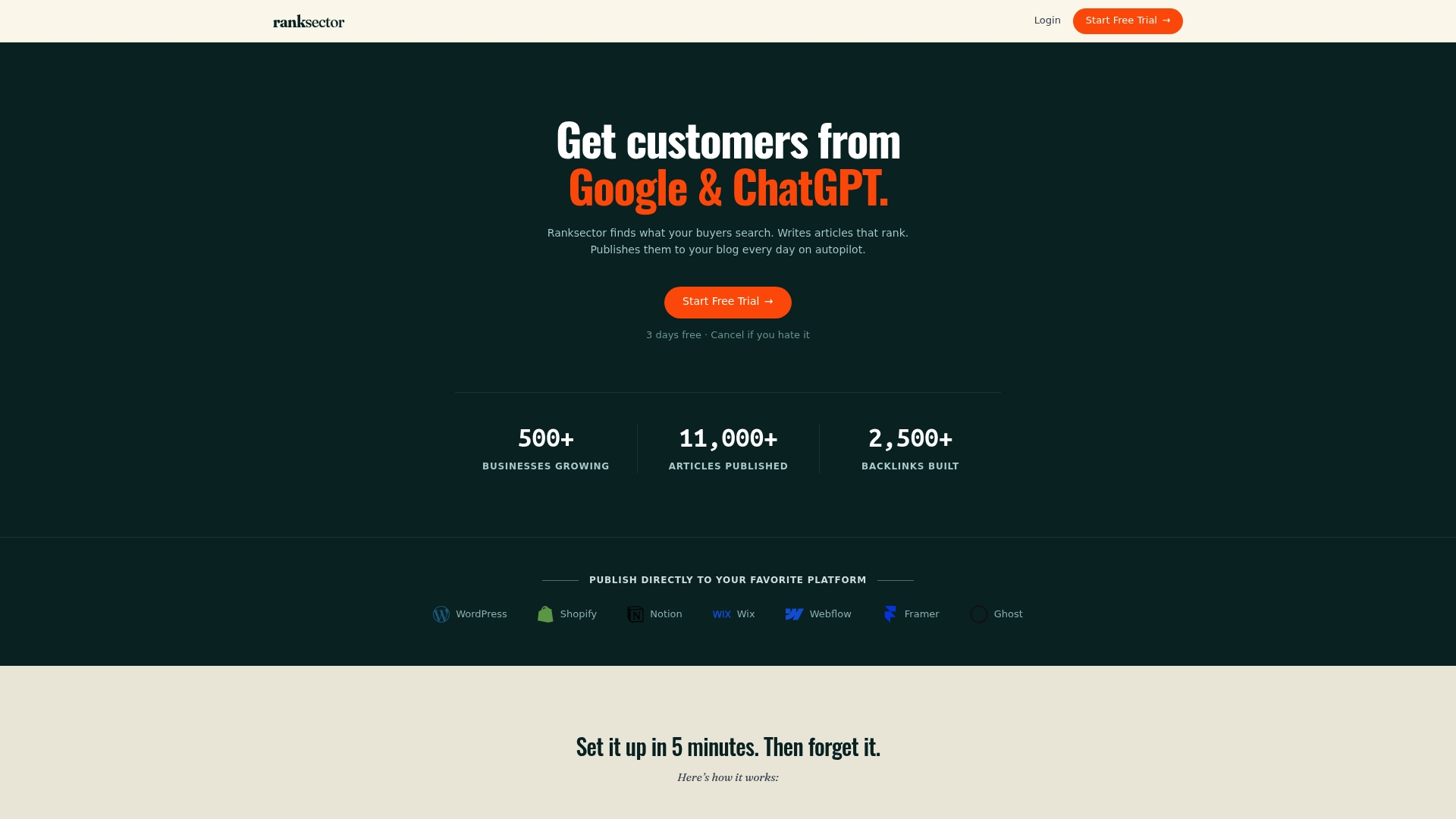
For a solo marketer or a small B2B SaaS team without a dedicated content hire, that combination matters more than it sounds. Ranksector’s platform runs the same audit logic covered above, impressions, position, and CTR signals, at the scale of an entire blog, then flags which posts are worth a refresh and which are candidates for a merge. The AI audit tool surfaces those priority candidates automatically, and teams that need dedicated support for larger content operations can look at the agency-focused plan for expanded coverage. If you’re managing more posts than you have hours to audit manually, start with a look at Ranksector’s free tools to see how the platform scores your existing content against these same signals.
Where Can You Verify This Refresh Guidance Further?
- Refresh outdated content — Google Search Help, for the official submission workflow and when Google’s tool actually applies.
- How to remove outdated content from Google Search results — FMG Suite, for a plain-language walkthrough of the same tool.
- Refreshing content: How to update old content to drive new traffic — Search Engine Land, for the impact-versus-effort triage method referenced above.
- Keyword and content cannibalization: how to identify and fix it — Yoast, for the merge-versus-leave decision logic.
- SEO content refresh: How to fix old blog posts — Mind Over Maze, for the investigation-first audit framework.
Sources
- How to remove outdated content from Google Search results — FMG Suite help
- Refresh outdated content - Google Search Help
- Refreshing content: How to update old content to drive new traffic — Search Engine Land
- Keyword and content cannibalization: how to identify and fix it — Yoast
- SEO content refresh: How to fix old blog posts — Mind Over Maze
Recommended
- How Blog Publishing Frequency Affects Your Rankings · Ranksector Blog · Ranksector
- Blog Images and Core Web Vitals: A Practical Guide for Faster Pages · Ranksector Blog — Ranksector
- Best AI Tools for High-Volume Blog Publishing in 2026 · Ranksector Blog — Ranksector
- Shopify Blog Automation: The Settings Most People Miss · Ranksector Blog — Ranksector