
How to Spot Keyword Cannibalization in Five Minutes
You open Google Search Console on a Monday morning and notice a page that should be ranking in the top 5 is sitting at position 11. You check the keyword. It looks fine. You check the page. Also fine. Then you filter by pages and see two URLs sharing impressions for the same query. That's the problem right there. 🔍
Keyword cannibalization is one of those issues that hides in plain sight. Your rankings feel unstable, clicks are lower than they should be, and Google keeps rotating which URL to show. The fix is usually straightforward once you know which pages are competing. The hard part is finding them fast.
This guide walks through how to spot keyword cannibalization in five minutes using free tools, a simple site search operator, and ranking history signals. Then it covers what to actually do about it, because detection without a decision framework is just a longer to-do list.
The 5-minute test: confirm whether two URLs are fighting the same query
Keyword cannibalization happens when two or more URLs on your site compete for the same query or intent. Google gets confused about which page to rank, so it rotates between them, and neither page gets the authority it deserves.
The fastest validation path runs through Google Search Console. Open the Performance report. Click the Queries tab. Find a keyword you care about and click it. Then switch to the Pages tab.
If you see more than one URL receiving impressions for that query, you have your answer in under 2 minutes. That's the red flag. One query, multiple pages, split impressions.
From there, check average position for each URL. If one page sits at position 4 and another sits at position 14 for the same keyword, Google is not sure which one wins. That uncertainty costs you clicks every single day.
What the numbers actually tell you
A page at position 4 with 200 impressions and a page at position 14 with 80 impressions for the same query is not a coincidence. That's a split. The combined click-through rate across both pages will be lower than if one page held position 3 alone.
Look for queries where the top URL changes week over week. That instability is a signal, not noise. When Google rotates between 2 URLs over a 4-week window, cannibalization is almost always the cause.
Set a 5-minute timer and move through this sequence
- Open GSC Performance and filter by a target keyword you suspect is underperforming.
- Switch from the Queries tab to the Pages tab and count the URLs receiving impressions.
- Note the average position and total impressions for each URL in a simple doc or spreadsheet.
- Flag any query where 2 or more URLs appear with meaningful impression share (above 20 impressions each).
- Record the date so you can compare in 30 days after any fix.

Use Google Search Console to prove the overlap
GSC is the fastest free confirmation tool you have. The Queries-to-Pages flip takes about 30 seconds and immediately shows whether Google is sending one keyword to multiple destinations on your site.
Average position is a supporting signal, not the only proof. A page sitting at position 7 with 150 impressions and another at position 22 with 40 impressions for the same query both matter. The second page is pulling authority away from the first even if its numbers look small.
Clicks tell a different story than impressions. A page with 300 impressions and 3 clicks at position 11 is underperforming badly. If a competing internal page is the reason it cannot break into the top 5, that's a fixable problem. Ranking instability like this is one of the clearest signals in the data.
In my experience, the most damaging cannibalization cases are the quiet ones: two pages each getting 100 impressions for the same query, neither getting enough clicks to look alarming, both slowly losing ground to competitors who consolidated their content.
Filter by date range to catch rotation patterns
Set GSC to a 3-month window. Then look at which URL held the top position for a given query each month. If the answer changes month to month, that's URL swapping. Google is trying both pages and settling on neither.
A 90-day view is usually enough to confirm the pattern. Shorter windows can look like normal ranking fluctuation. Longer windows can obscure recent fixes you've already made.
Compare click share between competing URLs
If URL A gets 85% of the clicks and URL B gets 15% for the same keyword, URL B is a passenger. It's not helping. It's diluting. That 15% click share represents real traffic that should be flowing to your stronger page instead of splitting off to a weaker one.
Run a site search to surface competing pages
Open Google and type site:yourdomain.com "your keyword". This takes about 45 seconds. Google returns every page on your domain it associates with that exact phrase.
If 3 or more pages show up for a specific keyword, you have a targeting overlap worth investigating. This operator is one of the fastest sanity checks available before you open any paid tool.
Look at the slugs. If you see /blog/keyword-research-tips and /blog/keyword-research-guide and /blog/how-to-do-keyword-research all appearing for the same query, those pages are almost certainly competing. Overlapping slugs are a reliable proxy for overlapping intent.
The site search operator is a sanity check, not a full diagnosis. Use it to build a shortlist of suspects, then confirm with GSC data before making any changes.
Scan for near-duplicate angles, not just exact matches
Two pages do not need to share the same title to cannibalize each other. A page targeting "content audit checklist" and a page targeting "how to run a content audit" can compete for the same mid-funnel query if their content covers the same ground.
Read the first 100 words of each suspected page. If the opening sections answer the same question, the pages are likely competing regardless of how different their titles look.
Check internal links for accidental signals
If your site links to both competing pages using the same anchor text, you're sending Google a mixed signal. Internal links with identical anchor text pointing to two different URLs for the same topic reinforce the confusion. Audit your internal link anchor text as part of this check.
Check ranking history to catch URL swapping
GSC shows current data. Ranking history shows the pattern over time. These two sources together give you a complete picture.
Look for keywords where the ranking URL changed at least twice in a 60-day window. That's the telltale sign. Google rotating pages for one keyword is not a technical glitch. It means Google cannot determine which page deserves to win.
A page that held position 6 for 3 weeks, dropped to position 18, then came back to position 9 before another URL took over is showing you a cannibalization pattern. The volatility is the signal. Stable pages do not behave this way.
When ranking volatility looks random, it usually isn't. A useful heuristic is to check whether a second URL on your site started gaining impressions for the same query around the time the first page started dropping.
Combine GSC and ranking history before acting
Neither data source alone is enough to make a confident decision. GSC tells you the current state. Ranking history tells you whether the problem is new or chronic. A chronic swap pattern over 90 days needs a structural fix. A recent shift might be a temporary algorithm adjustment worth watching for 2 more weeks before touching anything.
Flag the pages that keep trading positions
Build a simple list: keyword, URL A, URL B, date of first observed swap, date of most recent swap. That list becomes your cannibalization backlog. Prioritize by search volume. A keyword with 1,000 monthly searches getting split between two pages is worth fixing before a keyword with 50 monthly searches.
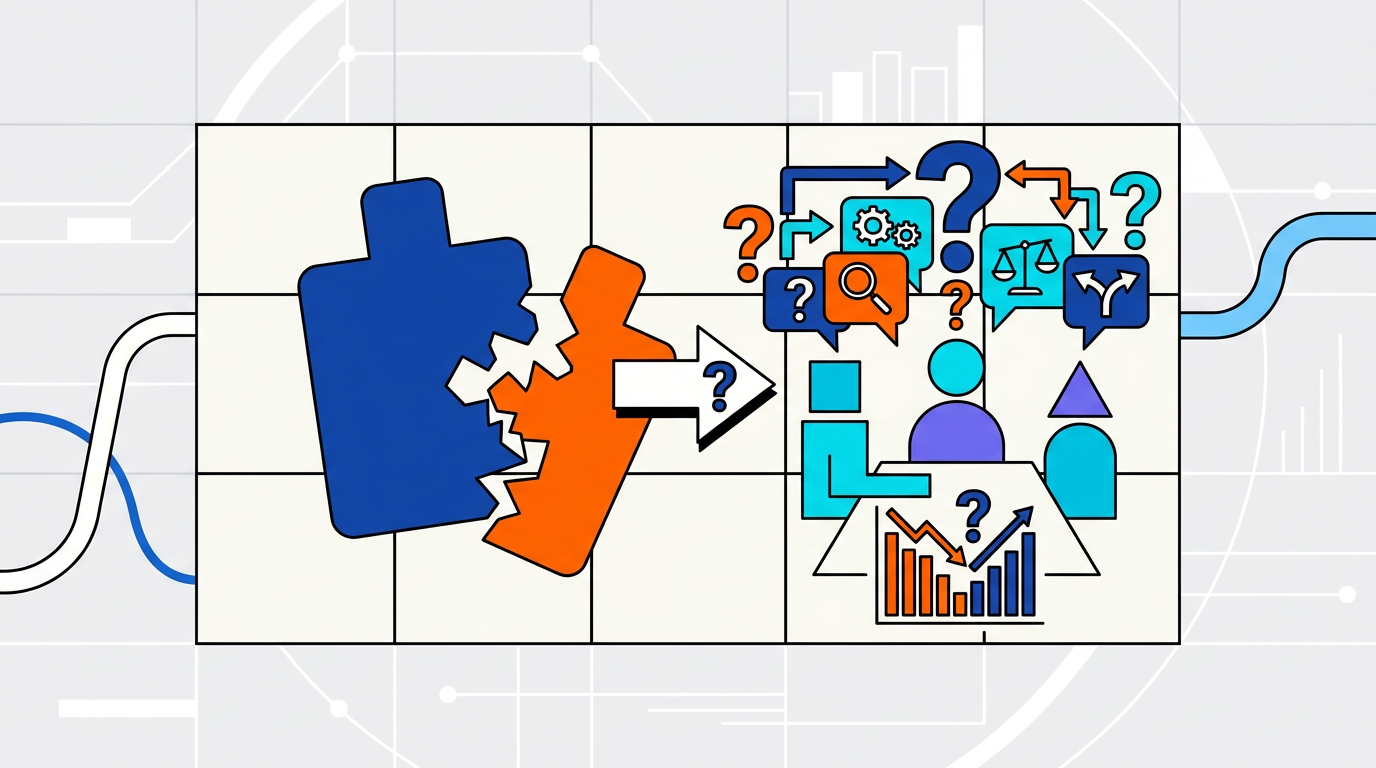
Decide the fix: merge, redirect, retarget, or leave it alone
Detection without a decision framework is just a longer to-do list. Here's how to categorize every cannibalization case you find. 🗂️
| Situation | Fix | When to use it |
|---|---|---|
| Two pages cover the same intent, neither is strong | Merge | Combined word count under 1,500 words, both pages under 50 clicks per month |
| One page should clearly replace the other | 301 redirect | The weaker page has no unique value and fewer than 5 inbound links |
| Pages overlap accidentally but can serve different intents | Retarget | One page can shift focus to a related but distinct query without a full rewrite |
| Overlap is superficial, intents are genuinely different | Leave alone | Each page serves a different stage of the funnel or audience segment |
The merge option is the most commonly underused fix. Combining two weak pages into one stronger page often produces a ranking lift within 4 to 6 weeks, because the consolidated page carries more depth, more internal links, and a clearer topical signal.
When to merge versus when to redirect
Merge when both pages have content worth keeping. Redirect when one page is clearly redundant and the other covers everything already. A redirect takes 10 minutes to implement. A merge takes 2 to 4 hours of editing. Choose based on how much unique value the weaker page actually holds.
Retargeting is underrated
Sometimes the fix is not combining pages at all. It's shifting one page's angle by 15 degrees so it targets a related but distinct query. A page about "content audit checklist" and a page about "how to run a content audit" can coexist if you make the checklist page clearly a download-focused resource and the how-to page a process guide. Different intent, different page, no conflict.
How Ranksector Blog automates what manual audits miss
Manual checks like the GSC filter and the site search operator work for a single keyword. They break down when you're managing 50, 100, or 300 articles. That's where the manual workflow hits its limit.
A one-off audit catches what's already broken. It doesn't catch what's about to break. If your team publishes 4 to 8 articles per month, new cannibalization cases appear within weeks of a clean audit. By the time you run the next manual check, you've already lost 3 to 6 weeks of ranking potential.
Ranksector Blog tracks keyword-to-URL mapping across your content set and flags when two pages start competing for the same query. Instead of running a site search every Monday, you get a structured view of which pages are overlapping and which queries are at risk, before the ranking drop shows up in GSC.
For teams publishing AI-generated content or running high-volume content operations, that monitoring layer prevents problems rather than just detecting them. The manual workflow in this guide is the right starting point. Ranksector Blog is what you add when the manual check stops scaling.
The detection methods above give you a clear picture of what's happening right now. Ranksector Blog keeps that picture current without requiring a weekly manual audit. If you're already using GSC data to track performance, Ranksector Blog connects directly to that workflow rather than replacing it.
In my experience, the teams that find cannibalization fastest are not the ones running the most sophisticated tools. They're the ones who built a repeatable 5-minute check into their weekly content review, then added automation when the volume made the manual check impractical.
Questions teams ask after they find cannibalization
Does keyword cannibalization always hurt rankings?
Not always. If two pages target the same keyword but serve genuinely different intents (one is a beginner overview, one is an advanced technical guide), Google can rank both without much conflict. The problem appears when both pages answer the same question for the same audience. In that case, neither page gets the full authority signal it needs to rank in the top 3 positions.
How often should you audit for cannibalization?
A useful heuristic is once per quarter for sites publishing fewer than 4 articles per month, and once per month for teams publishing more than that. High-volume content operations (more than 20 articles per month) need continuous monitoring rather than periodic audits. A quarterly check misses too much when content volume is high.
What's the difference between duplicate content and keyword cannibalization?
Duplicate content is when two pages share the same or nearly identical text. Keyword cannibalization is when two pages target the same query, even if the text is completely different. You can have cannibalization with zero duplicate content. The distinction matters because the fixes are different: duplicate content gets a canonical tag or a noindex, while cannibalization usually requires a merge, redirect, or retargeting decision.
Can internal linking fix cannibalization without merging pages?
Sometimes. If you consistently link to the page you want to rank using the target keyword as anchor text, and you remove or change the anchor text pointing to the competing page, you give Google a clearer signal about which URL should win. This works best when the cannibalization is mild. It's not a substitute for merging or redirecting when both pages are genuinely competing for the same query.
Does Ranksector Blog detect cannibalization automatically?
Yes. Ranksector Blog maps keywords to URLs across your content set and surfaces overlapping pages before they cause ranking drops. It's designed for teams managing more content than a manual GSC audit can cover efficiently. The manual detection workflow in this guide still applies for quick one-off checks, but Ranksector Blog handles the ongoing monitoring layer.
Ranksector Blog
Run the 5-minute GSC check from this guide on your highest-traffic keyword right now. If you find two URLs splitting impressions, start with Ranksector Blog to map the full overlap across your content set, flag the pages that need a merge or redirect, and keep new cannibalization cases from slipping through between audits.