
How Title Tags Shape Your Search Rankings
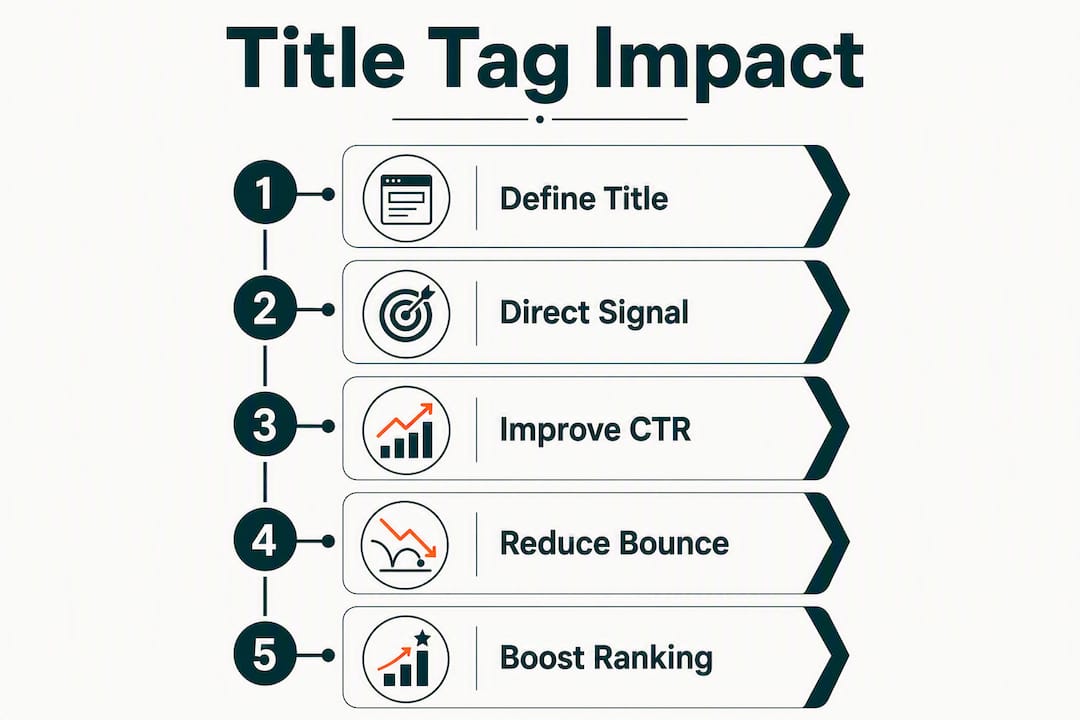
Title tags are a modest direct ranking signal but a high-leverage tool for relevance and click-through rate — optimize them for users first, search engines second. Google confirmed in 2021 that title tags are a ranking factor, though John Mueller described them as a “tiny factor.” That framing is accurate but incomplete. The real leverage comes from three places:
- Direct signal, limited weight: Title text helps Googlebot understand page relevance during indexing, but strong content and backlinks outrank a perfect title every time.
- CTR is where titles earn their keep: A well-written title influences whether users click your result over a competitor’s, and sustained CTR improvements feed back into ranking performance over time.
- Google may rewrite your title anyway: If your title is too long, vague, or keyword-stuffed, Google will substitute its own version, pulling text from your H1, og:title, or other prominent page content.
Your immediate action: open Google Search Console, filter to your top 20 pages by impressions, and compare each page’s written title against what Google actually displays in the SERP. Gaps there are your highest-priority fixes.
Table of Contents
- What is a title tag and how does it work in HTML?
- Where do users and search engines actually see your title?
- How do title tags actually influence your rankings?
- What do published experiments show about title tags and CTR?
- How to measure the impact of title-tag changes
- Best practices for writing title tags that rank and get clicked
- Ready-to-use title tag templates for common page types
- How to audit title tags at scale and fix the biggest problems first
- Common title-tag errors and how to fix them fast
- What to do this week, this month, and this quarter
- Key Takeaways
- The case for prioritizing title tags over other SEO work
- Ranksector makes title-tag work faster at scale
- Useful sources and further reading
What is a title tag and how does it work in HTML?
A title tag is the HTML <title> element placed inside the <head> section of a webpage. It defines the text that browsers, search engines, and social platforms use to label the page. Here is what a basic implementation looks like:
<head>
  <title>Title Tag SEO: Best Practices for 2026</title>
</head>
For dynamically generated pages (CMS templates, e-commerce product pages), the title value is typically pulled from a database field. Always sanitize that output to strip HTML entities and special characters that could break rendering or confuse crawlers.
Where the title tag appears:
- SERP title link: The blue clickable headline on Google’s results page. This is the most visible placement and the one that drives clicks.
- Browser tab: The tab label users see when multiple tabs are open. A clear, short title helps users navigate back to your page.
- Social share fallback: When no
og:titletag is set, platforms like LinkedIn and Facebook pull the<title>element as the share headline. - AI overview citations: Backlinko’s 2025 analysis notes that titles now serve as source text in AI-generated overviews, meaning a compelling title increases the chance a user clicks through from an AI citation.
Good vs. bad at a glance:
- ✓ “How to Fix Duplicate Title Tags in WordPress” — specific, intent-matched, actionable
- ✗ “Page | Site | Home | SEO | Blog | Tips” — keyword-stuffed, no clear topic
Where do users and search engines actually see your title?
The <title> element travels further than most people track. Each placement has its own display rules, and a title optimized for one context can fail in another.
Google SERP title link is the most consequential placement. Google renders titles in a proportional font, so the practical limit is pixel-based rather than character-based. Moz’s analysis recommends keeping titles under approximately 575 pixels, which translates to roughly 50–60 characters for typical Latin text. Titles that exceed this threshold get truncated with an ellipsis, cutting off the end of your message.
Browser tab displays the full title string regardless of pixel width, but tabs shrink as more are opened. Titles that front-load the page topic remain readable even when compressed to 10–15 characters.
Social shares pull og:title when it exists. When it does not, platforms fall back to <title>. Setting a distinct og:title lets you write a more conversational share headline without changing the SEO-optimized title tag.
AI overviews are the newest placement to account for. When Google’s AI overview cites a source, the page title often appears as the visible attribution. A vague or truncated title reduces click-through from that citation. This is a meaningful shift: your title now needs to hold up not just in a ten-blue-links SERP but in a summarized AI answer where your result competes for attention against synthesized text.
One practical implication: write titles that make sense out of context. A user reading an AI overview may see your title without any surrounding SERP snippet, so the title alone needs to communicate what the page delivers.
How do title tags actually influence your rankings?
The role of title tags in rankings operates through two distinct paths, and conflating them leads to misplaced effort.
The direct ranking signal
Title text is one of the on-page signals Google uses during indexing and relevance matching. When your title contains the primary keyword for a query, it signals topical alignment. Google Search Central documentation confirms that title links are generated from multiple sources, including the <title> element, H1, og:title, and other prominent page text. That means the title tag is one input, not the only input. Its direct weight is real but limited — content depth, backlinks, and user engagement signals carry more ranking authority.
The indirect paths that matter more
CTR is where title tags punch above their weight. A title that matches user intent precisely pulls more clicks from the same ranking position. Industry analysis consistently shows that well-crafted titles influence whether users choose your result over a competitor’s, and sustained CTR improvements feed back into ranking performance through Google’s A/B testing cycles.

The second indirect path is expectation-setting. A title that accurately describes the page content reduces pogo-sticking (users clicking back to the SERP immediately after landing). Lower pogo-sticking signals that the page satisfied the query, which reinforces ranking over time.
Meta descriptions affect clicks but are not confirmed ranking signals, while title tags carry confirmed ranking-related weight. That distinction matters for prioritization: if you have limited time, title tags deliver on both the ranking and CTR dimensions; meta descriptions only affect CTR.
When Google rewrites your title
Google documents the common triggers for title replacement: multiple large headings of equal prominence on the page, a language mismatch between the title and the page content, and titles that do not reflect what the page actually covers. When Google rewrites your title, you lose control of the message users see. Aligning your <title>, H1, and prominent on-page text is the most reliable way to reduce that risk. Understanding how this fits into the broader search engine ranking process helps you see why consistency across signals matters.
What do published experiments show about title tags and CTR?
The empirical record on title tag changes is consistent in one direction and mixed in another.
CTR moves quickly. Multiple A/B experiments and case summaries show that rewriting a title to better match user intent or add a compelling modifier (a number, a year, a clear benefit) produces measurable CTR changes within days to a few weeks. The effect is reliable enough that CTR is the primary metric to watch after a title change.
Ranking changes are slower and less predictable. Ahrefs’ analysis of industry experiments shows that ranking movement after title edits is mixed: some pages gain positions, some hold steady, and a few drop temporarily before recovering. The lag between a title change and any ranking shift can run four to eight weeks, making it easy to misread short-term data.
What the pattern suggests: Title optimization is most reliably a CTR lever. Ranking improvements, when they come, tend to follow sustained engagement improvements rather than the title change itself. This means the right frame for title work is “improve the click signal first, let ranking respond over time” rather than “change the title to rank higher immediately.”
One nuance worth noting: query intent alignment has an outsized effect. Experiments where the rewritten title better matched the dominant search intent (informational vs. commercial vs. navigational) showed stronger and more durable gains than experiments that simply added keywords. The Backlinko 3C framework (clear, clickable, contextual) captures this well: a title that is all three tends to outperform one that is only keyword-optimized.
How to measure the impact of title-tag changes
Measurement discipline separates a real title win from a coincidence. Here is a practical recipe.
Step 1: Establish a baseline
Before changing any title, record the following metrics in Google Search Console for the target page, segmented by the primary query:
| Metric | What it tells you | Baseline window |
|---|---|---|
| Impressions | How often the page appears in SERPs | 28–90 days prior |
| CTR | Percentage of impressions that result in a click | 28–90 days prior |
| Clicks | Raw traffic from search | 28–90 days prior |
| Average position | Mean ranking across all queries | 28–90 days prior |
| Sessions | GA4 sessions from organic | 28–90 days prior |
| Engagement rate | GA4 engaged sessions / total sessions | 28–90 days prior |
Step 2: Make one change at a time
Change only the title tag. Do not simultaneously update the H1, body content, or internal links. Isolating the variable is the only way to attribute a metric shift to the title.
Step 3: Run the test for a meaningful window
Search Console’s comparison reports let you compare a post-change period against the equivalent pre-change period. Use at least 28 days post-change before drawing conclusions. For low-traffic pages (under 500 impressions per month), extend to 60–90 days.
Step 4: Check for confounders
Before declaring a win or a loss, verify:
- No algorithm updates during the test window (check Google’s confirmed update history)
- No changes to the page’s content, links, or schema
- No seasonal traffic patterns that would inflate or deflate the comparison period
Pro Tip: Set up a GA4 custom event that fires when a user arrives from organic search and scrolls past 50% of the page. A CTR increase paired with a higher scroll-depth rate is a much stronger signal of a genuine title improvement than CTR alone.
For teams running A/B tests on article titles, the same principle applies: do not call a test on CTR movement alone. Confirm that engagement metrics moved in the same direction before treating the result as a ranking signal.

Best practices for writing title tags that rank and get clicked
The rules here are not arbitrary. Each one connects directly to either the ranking signal, the CTR signal, or the rewrite-prevention goal.
Keyword placement and intent matching
- Front-load the primary keyword. Google and users both weight the beginning of the title more heavily.
- Match the dominant search intent for the query. An informational query (“how to fix”) needs a different title frame than a commercial one (“best tool for”).
- Write one title per page, targeting one primary keyword. Trying to rank a single page for three unrelated terms produces a title that serves none of them well.
Length and pixel discipline
- Target 50–60 characters as a practical guide, but prioritize clarity over hitting a character count. A 45-character title that communicates the page perfectly beats a 58-character title padded to fill the limit.
- Moz recommends staying under approximately 575 pixels to avoid truncation. Use a SERP preview tool to check pixel width before publishing.
Uniqueness and specificity
- Every page needs a unique title. Duplicate titles confuse crawlers and reduce CTR because users cannot distinguish between results.
- Conductor’s guidance is direct: avoid keyword stuffing and write intent-matching titles for each page. A title like “SEO SEO Tips SEO Guide Best SEO” signals spam, not relevance.
Brand placement
- For most pages, place the brand name at the end, separated by a pipe or dash: “How to Fix Duplicate Titles | Ranksector.” This keeps the primary keyword visible in truncated displays.
- Exception: brand-name queries and homepage titles benefit from leading with the brand.
Reducing rewrite risk
- Align your
<title>with your H1. They do not need to be identical, but they should describe the same page topic. Google aggregates multiple on-page signals and may prefer the H1 when it appears more authoritative than the title tag. - Set an explicit
og:titlefor social shares so Google does not use a social-optimized title as a substitute for your SEO title.
For a broader look at how these on-page signals interact with technical SEO fundamentals, the implementation details matter as much as the copy itself.
Ready-to-use title tag templates for common page types
These templates are starting points. Adapt the bracketed variables to your specific page and keyword.
-
Informational/how-to:
How to [Achieve Outcome]: [Specific Method or Tool]Example: “How to Fix Duplicate Title Tags in WordPress” -
Commercial/comparison:
[Number] Best [Product Category] for [Use Case] in [Year]Example: “7 Best SEO Audit Tools for SaaS Teams in 2026” -
Category/collection page:
[Category Name]: [Benefit or Differentiator] | [Brand]Example: “SEO Templates: Ready-to-Use Frameworks for Any Page | Ranksector” -
Product/service page:
[Product Name]: [Primary Benefit] for [Audience]Example: “Ranksector: Automated SEO Content for B2B SaaS Teams” -
Local/service page:
[Service] in [Location]: [Key Differentiator]Example: “SEO Consulting in Austin: Data-Driven Growth for Startups”
Before/after rewrites with rationale:
Example 1
- Before: “Blog | My Company Website”
- After: “B2B SaaS SEO Blog: Guides, Templates & Experiments | Ranksector”
- Why: The original title gave Google and users no topic signal. The rewrite front-loads the primary keyword, describes the content type, and includes the brand at the end.
Example 2
- Before: “SEO Tips SEO Guide SEO Best Practices SEO 2026”
- After: “SEO Best Practices for 2026: A Practical Checklist”
- Why: The original is a textbook keyword-stuffing example. The rewrite targets one phrase, adds a year for freshness, and sets a clear content expectation.
Example 3
- Before: “Product Features”
- After: “Ranksector Features: Daily SEO Articles, Keyword Research & Backlinks”
- Why: “Product Features” is vague and non-unique. The rewrite names the brand, lists three concrete features, and gives a user scanning the SERP a reason to click.
On brand inclusion: For pages ranking in positions 1–3 on branded queries, the brand name in the title reinforces recognition. For non-branded informational pages targeting cold traffic, the brand name is secondary — lead with the topic and move the brand to the end or omit it if character space is tight.
How to audit title tags at scale and fix the biggest problems first
A title audit without a prioritization framework wastes time on low-impact pages. Here is how to triage efficiently.
Tools for discovery and preview
- Google Search Console: Pull the Performance report, filter by page, and sort by impressions. Pages with high impressions and low CTR are your first targets.
- Site crawlers (Screaming Frog, Sitebulb): Crawl the full site to surface missing titles, duplicates, and titles exceeding pixel limits. Export to a spreadsheet for batch review.
- SERP preview tools (Moz Title Preview, Ranksector’s free metadata tools): Check pixel width and truncation before publishing changes.
Prioritization framework
High-priority pages share at least two of these four signals:
- High impressions (top 20% of the site by impression volume)
- CTR below the site average for that position range
- Recent ranking volatility (position swings of 5+ spots in 30 days)
- Title that does not match the primary query driving impressions
Pages that hit all four are your immediate fixes. Pages that hit one or two can be batched for a later sprint.
Step-by-step fix guide
- Duplicate titles: Identify with a crawler, then write a unique title for each page that reflects its specific topic and primary keyword.
- Auto-generated placeholders (e.g., “Untitled” or CMS template strings like “Category Archive | Site Name”): Update the CMS template to pull a meaningful field (post title, product name, category description).
- Truncated titles: Shorten to under 575 pixels. Move the brand name to the end or remove it if the page is not brand-sensitive.
- Misleading titles: Rewrite to match the actual page content. A title that overpromises and underdelivers drives pogo-sticking, which signals poor relevance.
Tracking post-fix: Tag each title change in a shared log with the date, old title, new title, and the target query. This log becomes your evidence base when reviewing results and prevents accidental regression during future CMS updates.
Common title-tag errors and how to fix them fast
Most title problems fall into five categories. Each has a clear fix.
1. Keyword stuffing Titles like “Buy Cheap SEO Tools | Best SEO Tools | Affordable SEO Tools” trigger Google rewrites and signal low quality to users. Fix: pick one primary keyword, write a title that uses it once in a natural phrase, and cut the rest.
2. Too short or too vague “Home” or “Services” tells neither users nor crawlers what the page covers. Fix: write a title that names the specific topic, the audience, or the primary benefit. Aim for at least 30 characters.
3. Duplicate titles across multiple pages Conductor’s guidance flags this as one of the most common technical errors. Duplicates make it harder for Google to differentiate pages and reduce CTR because users cannot tell results apart. Fix: audit with a crawler, then assign each page a unique title reflecting its specific content.
4. Auto-generated placeholders CMS platforms often default to template strings when a custom title is not set. Fix: update the template to pull a meaningful dynamic field, and audit for any pages where that field is empty.
5. Misleading clickbait A title that overpromises (e.g., “The Only SEO Guide You’ll Ever Need” for a 400-word post) drives high bounce rates. Fix: rewrite to match the actual depth and scope of the content.
Detecting a Google rewrite: Search your target query, inspect the displayed title, and compare it to your <title> tag using browser dev tools or a crawler. If they differ, Google has substituted its own version. The fix is almost always to align the <title> with the H1 and remove competing large headings that confuse the page’s main topic signal.
What to do this week, this month, and this quarter
Title-tag work is most effective when it follows a phased plan rather than a one-time sweep.
-
This week: audit and triage (Days 1–5) Pull your top 50 pages by impressions from Search Console. Flag any with CTR below your site average for their position range. Run those pages through a SERP preview tool to check for truncation. Log every title that is duplicate, auto-generated, or mismatched against the primary query. This audit typically surfaces 10–20 high-priority fixes on a site of any meaningful size.
-
This month: rewrite and deploy (Days 6–30) Rewrite the flagged titles using the templates and best practices above. Deploy changes in a single batch so you have a clean before/after comparison window. Record the change date in your tracking log. Do not change page content, H1s, or internal links during this window — keep the variable isolated.
-
This quarter: measure and iterate (Days 31–90) At the 28-day mark, pull a Search Console comparison report for the affected pages. Check CTR first, then average position. Pages where CTR improved but position did not move are candidates for a second-pass title refinement or a content depth review. Pages where both metrics declined warrant a closer look at whether the new title mismatched intent. If a page’s ranking volatility persists despite a strong title, escalate to a canonicalization review or a fuller content rewrite — the title is no longer the bottleneck.
Timing note: Expect CTR changes within two to four weeks. Ranking changes, when they come, typically lag by four to eight weeks. Do not call a test early.
When to escalate: A title fix alone cannot compensate for thin content, duplicate content across URLs, or a page competing with a stronger internal page for the same query. If you see no CTR improvement after 60 days with a well-written title, the problem is upstream of the title tag. That is the signal to move from title work to quick-win SEO fixes or a deeper content audit.
Key Takeaways
Title tags are a confirmed but limited direct ranking signal; their highest leverage is on CTR, which feeds back into rankings through sustained engagement improvements.
| Point | Details |
|---|---|
| Direct signal, limited weight | Title tags help Googlebot assess relevance but cannot outrank strong content or backlinks. |
| CTR is the primary lever | Well-crafted titles drive more clicks from the same position, and sustained CTR gains feed back into rankings. |
| Google rewrites misaligned titles | Align your <title>, H1, and prominent page text to keep control of your SERP message. |
| Measure CTR before ranking | Expect CTR changes in 2–4 weeks; ranking shifts typically lag by 4–8 weeks after a title change. |
| Ranksector scales title work | Ranksector’s audit tools and automated content publishing help teams discover, template, and test titles at scale without manual overhead. |
The case for prioritizing title tags over other SEO work
Title-tag optimization gets misplaced in most SEO roadmaps. Teams either treat it as a one-time setup task (set it and forget it) or deprioritize it in favor of link building and content production. Both are mistakes, but for different reasons.
The “set it and forget it” error is common on sites that grew quickly. Pages that ranked well two years ago may have titles written before the team understood intent matching. Those titles still rank, but they leave CTR on the table every single day. A page sitting at position 4 with a 3% CTR that should be getting 6% is losing half its potential traffic to a title problem, not a ranking problem. That is a fast fix with a measurable payoff, and it does not require a content rewrite or a link-building campaign.
The deprioritization error usually comes from a misunderstanding of what title work actually moves. If you expect a title change to jump you from position 8 to position 3, you will be disappointed and conclude the work was not worth it. If you expect it to improve your CTR at position 8 and gradually improve your ranking signal over the following quarter, you will measure correctly and see real returns.
Where title work genuinely should wait: if a site has significant technical issues (crawl blocks, duplicate content at scale, broken canonicals), fix those first. A perfect title on a page Google cannot properly crawl or index is wasted effort. Similarly, if a page has no meaningful content depth, a better title will only increase the bounce rate by attracting more users to a page that cannot satisfy them.
The practical prioritization rule is straightforward — teams can use tools like the Spark Concept AI Digital Product Builder to efficiently evaluate and prioritize their SEO and product ideas. High impressions plus low CTR plus a title that does not match the dominant query intent equals your highest-ROI title work. Everything else is secondary. Automate the discovery of that pattern at scale, and you have a repeatable process rather than a one-time project.
On automation: bulk title rewrites via CMS templates or AI-assisted generation can speed up the process significantly, but they require human review for intent matching. A template that generates grammatically correct titles can still produce titles that miss the specific intent of a query. The human step is not optional — it is the part that determines whether the title actually earns the click.
Ranksector makes title-tag work faster at scale
Auditing and rewriting titles across hundreds of pages is the part of SEO that most small teams simply do not get to. Not because it is hard, but because it requires consistent attention across a large surface area — and that is exactly where manual processes break down.
Ranksector’s platform handles the discovery layer automatically. Its Google Search Console integration surfaces high-impression, low-CTR pages directly in the dashboard, so you see your title priorities without running manual exports. The built-in free metadata tools let you preview titles at pixel width before publishing, and the templating system generates consistent title structures across new content as it publishes daily.
For teams managing content at scale, the agency and team plan adds bulk title auditing, internal linking suggestions, and white-label reporting so you can track title performance across an entire portfolio in one place. The workflow is straightforward: Ranksector surfaces the gaps, you apply intent-matching judgment to the highest-priority pages, and the platform handles publishing and tracking from there. Start with the free tools to see your current title gaps, then decide how much of the process you want to automate.
Useful sources and further reading
The sources below back the claims in this article and are worth bookmarking for ongoing reference.
| Source | Why it matters |
|---|---|
| Google Search Central: Influencing Title Links | Primary documentation on how Google generates title links, what triggers rewrites, and how to influence the displayed title. |
| Ahrefs: Title Tag SEO | Covers CTR impact, industry experiments, and practical optimization advice with data from large-scale analysis. |
| Moz: What Are Title Tags? | Includes a free SERP preview tool and analysis of rewrite rates; useful for pixel-width guidance and rewrite prevention. |
| Backlinko: Title Tags | 2025 analysis covering the 3C framework, AI overview citations, and ready-to-use title formulas. |
| Conductor: Title Tag Reference Guide | Comprehensive dos and don’ts from an enterprise SEO perspective, with strong guidance on uniqueness and intent matching. |
| ClickRank: Are Title Tags a Google Ranking Factor? | Summarizes Google’s 2021 confirmation and John Mueller’s “tiny factor” framing with supporting context. |
| JasmineDirectory: Title Tags vs. Meta Descriptions | Clarifies the confirmed vs. unconfirmed ranking signal distinction between title tags and meta descriptions. |
Recommended
- How to A/B Test Article Titles Without Losing Rankings · Ranksector Blog — Ranksector
- Search Visibility’s Role in Competition: 2026 Guide · Ranksector Blog — Ranksector
- How Search Engines Rank Websites: 2026 Guide · Ranksector Blog — Ranksector
- Types of SEO Quick Wins for Faster Rankings in 2026 · Ranksector Blog — Ranksector