
30/60/90 Plan: Startup Content Automation for B2B SaaS
Content automation gets an early-stage startup consistent, SEO-ready publishing without hiring — but only after you validate messaging. Once you know what resonates, automating the drafting, publishing, and repurposing loop saves real time and speeds up SEO traction. The catch: automation amplifies whatever you feed it, so weak positioning can get published faster without being fixed.
TL;DR:
- Content automation is most effective once startup messaging is validated, as it amplifies existing strengths and can accelerate SEO without fixing weak positioning.
- Most tools handle only parts of the workflow, requiring integration and editorial oversight, especially for critical SEO functions like internal linking and metadata updates.
- Building a human-in-the-loop review process for several weeks helps calibrate AI output to brand voice and catch factual or tone mismatches early.
- Automating repurposing of long-form content into multiple assets provides high leverage for lean teams, filling content calendars efficiently.
- A phased rollout over 30 to 90 days enables startups to test workflows, reduce review times, and identify keywords that improve in search rankings.
Table of Contents
- What Does Startup Content Automation Actually Automate?
- How Do You Build a Repeatable Content Workflow?
- Which Automation Capabilities Should You Buy vs Build?
- What Does a 30/60/90 Rollout Plan Look Like?
- How Ranksector Handles Daily Publishing for B2B SaaS
- Do This, Not That
- Getting Started With Hands-Off Publishing
- Sources
What Does Startup Content Automation Actually Automate?
Startup content automation covers a specific chain of tasks, not a single magic button. The chain runs from topic discovery to analytics, and each link uses different software.
Here’s the map most founders miss when they start shopping for tools:
- Topic discovery: keyword and competitor gap analysis that tells you what to write about before you write anything.
- Long-form generation: AI drafting tools that turn a topic and outline into a publishable article.
- Repurposing: converting one asset into social posts, newsletter blurbs, and shorter derivative pieces.
- Scheduling and publishing: pushing finished content directly into your CMS on a set cadence.
- Metadata and SEO hooks: title tags, meta descriptions, internal links, and schema markup applied automatically.
- Analytics feedback: closing the loop so published content informs the next round of topics.
Most tools on the market only handle one or two of these links well. AI blog writers like the ones built into HubSpot’s CMS speed up drafting and repurposing, but HubSpot itself frames these as assistive tools that still need editorial oversight and workflow integration, not a hands-off publishing system. Workflow builders (Zapier-style automations) stitch tools together but require someone to maintain the wiring. Dedicated CMS publishers handle scheduling but rarely touch SEO metadata with any sophistication.
Then there’s the SEO layer, which is where most DIY setups break down. Adobe’s own framing of content automation describes it as tools performing lifecycle functions with minimal human input, but the practical rollout still demands tagging, metadata structuring, and evaluation automation that most teams underestimate. Real SEO automation, the kind that keeps posts ranking months after publication, needs automated internal linking, dynamic metadata updates, and ongoing SERP monitoring. Basic generators don’t do this without engineering support behind them, according to Search Engine Journal’s breakdown of SEO automation tooling.
What automation should never replace is judgment about what to say. It can draft, format, schedule, and tag. It cannot decide that your product messaging is wrong, or notice that a feature you’re excited about doesn’t matter to your buyer. That’s still a founder’s job, and skipping it is the single most common reason automation projects underperform.
How Do You Build a Repeatable Content Workflow?
The workflow that works for a two-person startup looks nothing like the one that works for a ten-person marketing team, but both follow the same five-step spine: ingest, generate, review, publish, repurpose.
For a team publishing 0 to 10 posts a week, here’s a starter sequence:
- Ingest: Pull three to five validated topics from sales calls, support tickets, or keyword gaps. Don’t invent topics from scratch.
- Generate: Run each topic through an AI drafting tool with your existing brand voice guide attached as context.
- Review: A single editor reads for factual accuracy, tone drift, and anything that overstates a product claim.
- Publish: Push to your CMS, either manually or through a direct integration, with metadata filled in before it goes live.
- Repurpose: Break the published piece into three to five smaller assets: a LinkedIn post, a newsletter excerpt, a short-form summary.
Teams scaling to daily or near-daily publishing add a second lane: an auto-publish track for high-confidence content types (product updates, comparison posts, FAQ-style explainers) that skip full editorial review after a calibration period, alongside a manual-review track for anything touching pricing, claims, or competitive positioning.
The repurposing step deserves more attention than most founders give it. Turning one long-form article into a month’s worth of social posts, email fragments, and micro-articles is one of the highest-leverage automation patterns available, and it’s how lean teams fill a content calendar without writing five new pieces a week, according to Search Engine Journal’s repurposing guide. One article on managing a distribution engine at scale shows how to repurpose one article into five LinkedIn posts without burning through a week of writing time.
Before any of this runs on autopilot, build in a human-in-the-loop review period lasting several weeks. This isn’t bureaucracy for its own sake. It’s how you calibrate an AI tool’s output to your actual brand voice, catch factual drift early, and build enough confidence to let certain content types skip review later, a practice Databricks recommends as standard AI deployment hygiene.
Pro Tip: Run your first two weeks of automated drafts through review even if you’re confident in the tool. The goal isn’t catching disasters. It’s finding the small, recurring tone mismatches that compound into an off-brand blog by month three.
Which Automation Capabilities Should You Buy vs Build?
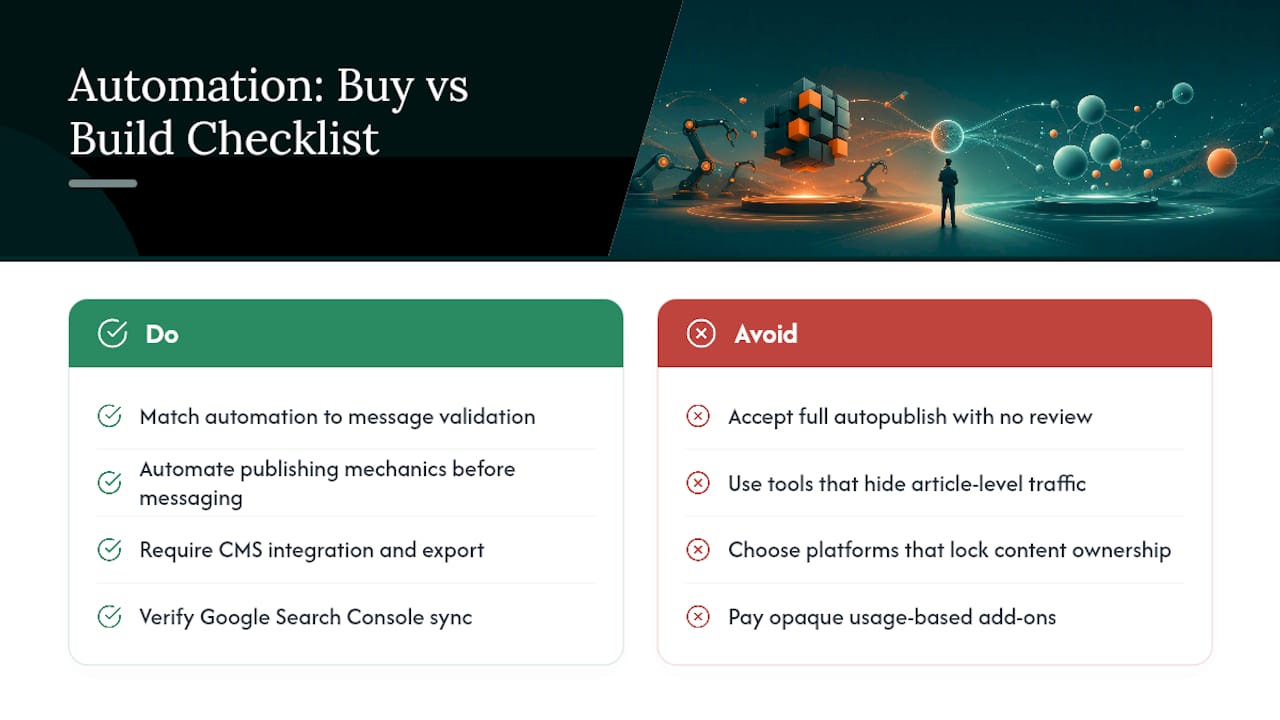
Match the complexity of what you automate to how validated your messaging already is. A startup still finding product-market fit should automate publishing mechanics, not the message itself. Startups with consistent positioning over time can automate more of the generation step because there’s a proven pattern to replicate.
Before choosing a tool or managed service, check whether it connects directly to your CMS, syncs with Google Search Console to track impressions, handles internal linking automatically, and allows content and data export if you switch providers.
Consolidating these functions into fewer tools cuts friction, but watch for what one CMS-integration analysis calls the “silo tax”: platforms that publish content but don’t talk to your analytics stack, leaving you manually reconciling numbers every month.
When evaluating a vendor or managed service, ask directly: Who owns the content once it’s published, you or the platform? Can you roll back or edit a live post without a support ticket? What editorial controls exist before something goes live? How is pricing structured, flat subscription or usage-based add-ons that creep upward?
Red flags worth walking away from: any provider promising full autopublish with zero review options, and any dashboard that shows traffic numbers but can’t tell you which specific articles drove them. If you can’t trace performance back to individual posts, you can’t make good decisions about what to automate next.
What Does a 30/60/90 Rollout Plan Look Like?
A phased rollout keeps you from over-committing before you know a tool or workflow actually fits.
Days 1 to 30: Pick one workflow (starter sequence above), assign one person as editor of record, and publish two to four pieces weekly. Acceptance criteria: every post ships within 48 hours of drafting, and metadata is complete before publishing.
Days 31 to 60: Introduce repurposing and begin tracking which topics generate impressions in Google Search Console. Acceptance criteria: at least one piece of derivative content per long-form article, and a documented brand-voice guide the AI tool is calibrated against.
Days 61 to 90: Move low-risk content types (explainers, comparisons) into an auto-publish lane. Acceptance criteria: review turnaround time drops by half, and you can point to at least one keyword that moved up in rank.
Roles stay lean: a founder or marketer sets strategy and reviews, a contractor or part-time editor handles quality checks, nobody needs a dedicated ops hire yet.
Cost bands vary widely by approach. DIY plugin stacks (drafting tool plus scheduler plus separate SEO plugin) often run under $50 a month but demand hours of manual stitching, and Ranksector’s own roundup of budget automation tools covers this tier in detail. SaaS autopublish platforms typically run in the low hundreds monthly. Managed subscription models that handle the entire loop, generation through publishing through backlinks, tend to be cost-competitive with hiring a freelance writer once you factor in volume and time saved.
Track three numbers monthly: posts published, organic traffic change, and keyword position movement on your priority terms.
How Ranksector Handles Daily Publishing for B2B SaaS
Ranksector automates the entire loop: daily SEO-optimized articles, direct CMS publishing, backlink exchange for domain authority, and analytics synced to Google Search Console. The platform has published over 11,000 articles across customers, with documented domain rating gains. For a small SaaS team, that means one managed subscription replacing the plugin-stacking exercise described above, with onboarding calibrated to your brand voice from day one.
Do This, Not That
Founders keep automating messaging that was never validated in the first place. Fix the message first. Then automate publishing and repurposing consistency. Validate, automate, measure, in that order.
— Savannah
Getting Started With Hands-Off Publishing
If you’ve read this far, you already know the honest tradeoff: DIY automation saves money on paper but costs hours nobody on a small team has, especially stitching together drafting tools, schedulers, and separate SEO plugins. Ranksector replaces that entire stack with one subscription built for B2B SaaS teams that need daily, SEO-optimized articles without hiring a content person.
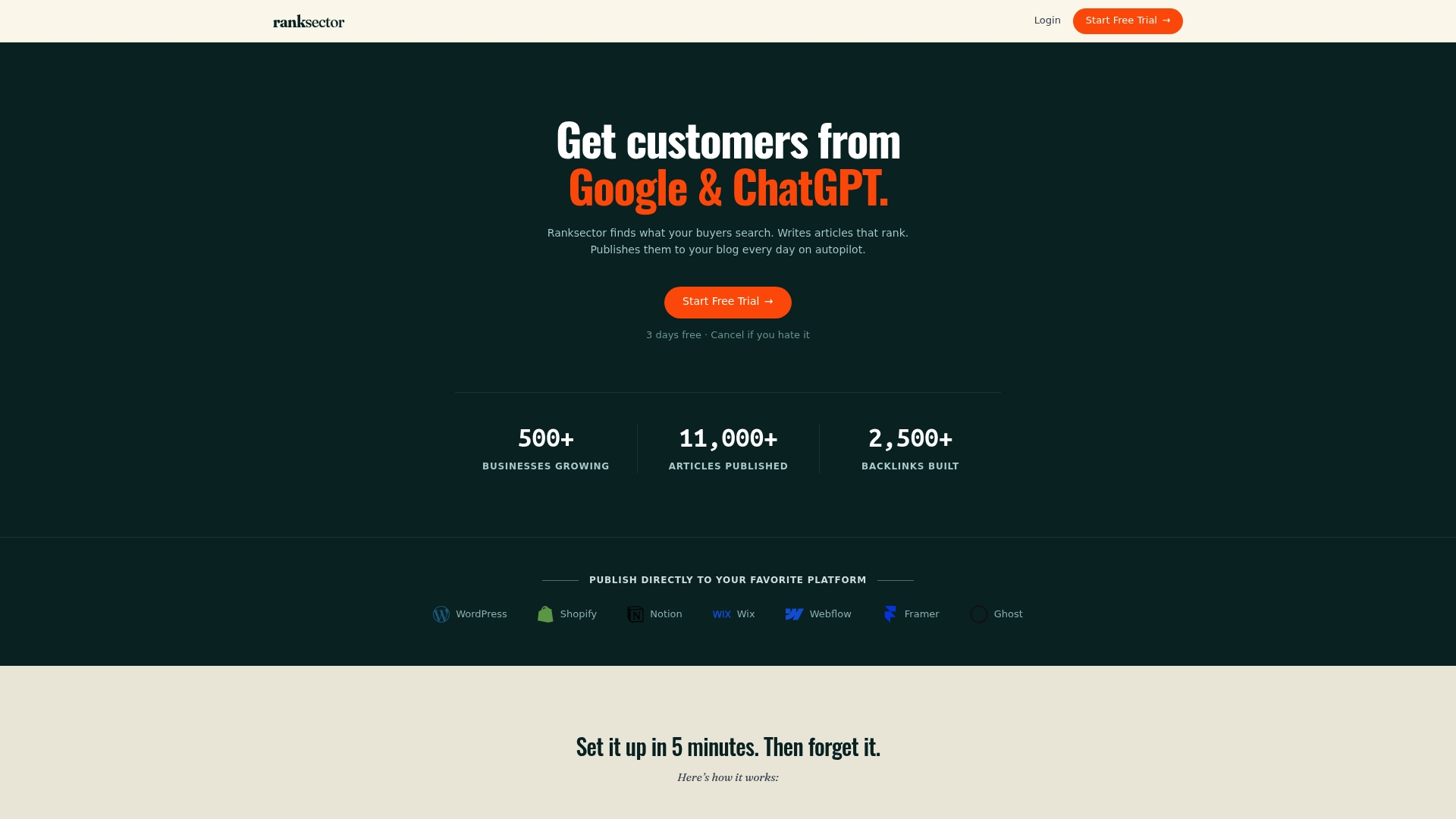
Onboarding starts with a short brand-voice calibration, similar to the human-in-the-loop period covered earlier, so your first published articles already sound like you, not like a generic AI draft. From there, Ranksector handles:
- Daily article generation and direct publishing to your CMS
- Keyword research based on competitor gaps, not guesswork
- Backlink exchange to build domain authority without outreach
- Analytics synced to Google Search Console so you can see what’s working
If governance and review controls matter to your team as you scale automation, a consulting partner like tekRESCUE AI can help formalize that human-in-the-loop process alongside your automated publishing.
Start with Ranksector’s free tools to see keyword and competitor data before committing, or go straight to the managed autopublish product if you’re ready to hand off the entire workflow.