Automated SEO Workflows for SaaS: A Practical System for Faster Rankings
Automated SEO Workflows: Boost Productivity and Rankings
You open a spreadsheet on Monday morning with 40 keyword opportunities, a half-finished content brief, and three Slack messages asking when the next article goes live. By Thursday, you've published one post, updated zero, and the reporting tab is still blank. Sound familiar?
The problem isn't effort. It's that every step in your SEO process requires a fresh decision, a new tab, and a manual handoff. That friction compounds fast on a lean SaaS team.
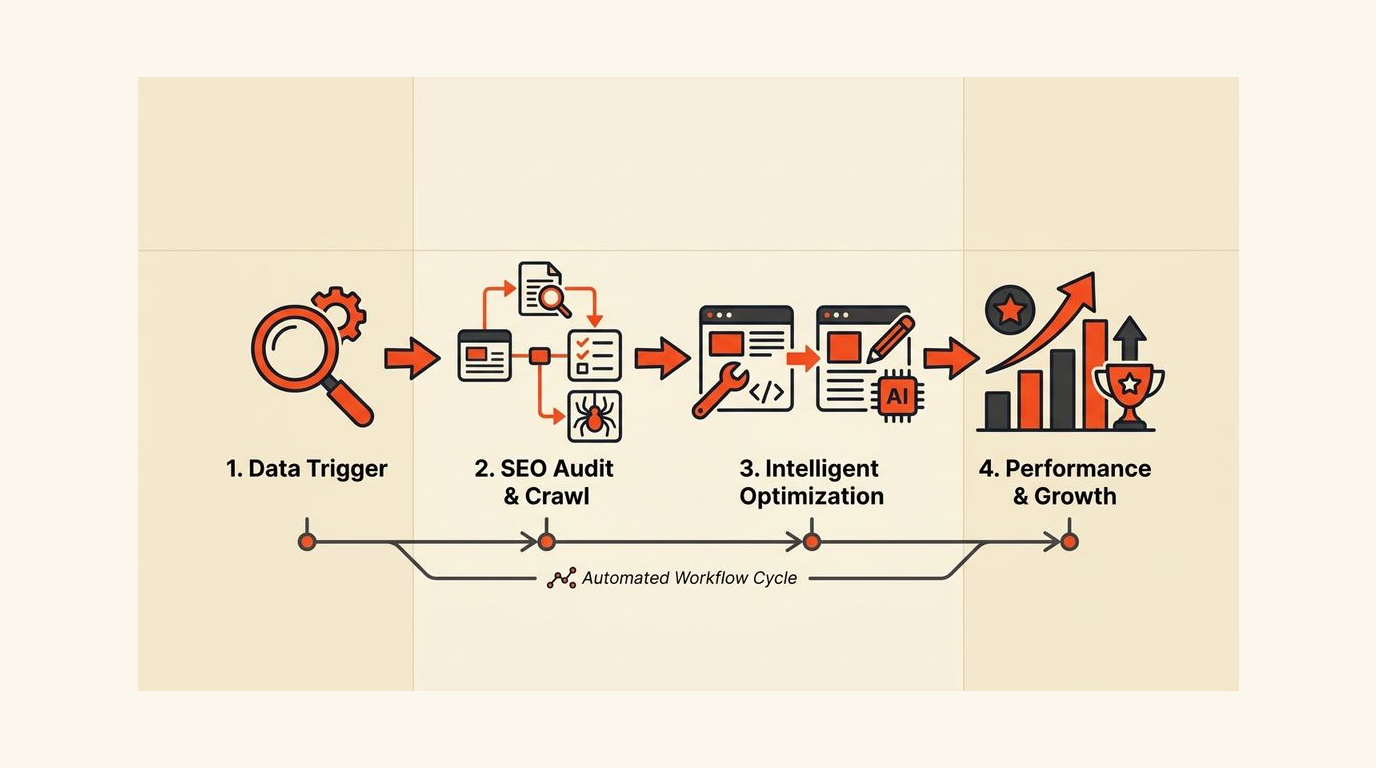
Automated SEO workflows fix the repetition problem without removing the judgment calls that actually move rankings. This guide walks through what to automate first, where humans must stay in the loop, and how to measure whether the system works. 🎯
Why SEO automation matters for SaaS teams
A typical SaaS content team handles keyword research, brief creation, drafting, on-page optimization, publishing, reporting, and periodic refreshes. That's at least 7 distinct task types per article. Multiply by 20 posts a month and you have 140 manual steps before a single ranking moves.
Lean teams feel this most. A 2-person content operation can't afford to spend 4 hours on a brief that a well-designed prompt chain could produce in 20 minutes. The math doesn't work.
The real bottleneck isn't strategy. It's repetition. Automation removes the repetition so your team spends time on positioning, claims, and offer alignment instead of reformatting metadata for the 30th time this quarter.
Most SEO automation fails because teams automate tasks before they automate decisions. Get the decision rules right first, then let the tools handle the execution.
The SaaS-specific pressure
SaaS teams don't just run a blog. They manage product pages, comparison pages, integration directories, use-case clusters, and educational content. Each content type has different ranking signals and different revenue implications. A generic automation setup treats them all the same. That's where things break.
Automation as a productivity system, not a replacement
Think of automation as the floor plan of your workflow, not the architect. You still decide which keywords matter, which claims need verification, and which pages connect to revenue. The system handles the scaffolding around those decisions. That distinction matters because it changes how you design the workflow from the start.

The manual SEO workflow most teams still use
Here's what the old process looks like in practice. You pull keywords from a mix of tools, paste them into a spreadsheet, sort by volume, and pick 5 to work on this week. Then you write a brief manually, pass it to a writer in Slack, wait 3 days, edit the draft, optimize it yourself, publish, and move on. The cycle takes 5 to 8 days per article.
The handoff friction is the real cost. Every time a file moves from one person to another without a clear trigger or template, someone spends 20 to 30 minutes reconstructing context. Over a month, that's 8 to 12 hours of pure overhead on a team of 3.
Where time actually disappears
- Keyword clustering takes 60 to 90 minutes per batch because it's done manually in spreadsheets with no grouping logic applied.
- Brief creation requires pulling SERP data, competitor outlines, and internal style notes from 4 to 5 separate sources every single time.
- Metadata writing happens at the end of the process, rushed, with no template enforcing character limits or keyword placement.
- Reporting is a monthly task instead of a live feed, so ranking drops go unnoticed for 3 to 4 weeks before anyone acts.
- Refresh cycles don't exist. Pages decay quietly until traffic falls enough to trigger a panic audit.
Manual SEO work isn't hard because of strategy. It's hard because of repetition. Every repeated task is a candidate for a trigger-based workflow.
The automated workflow: what to automate first
The fastest productivity gains come from automating the front end of the workflow: opportunity discovery, clustering, and brief generation. These steps are highly repeatable and produce structured outputs that humans can review quickly.
A well-designed automation workflow starts with Google Search Console data. Pull queries where your pages rank between position 8 and 20. Those are your fastest-win candidates. An automated script can pull this list daily, filter by impression volume above 500 per month, and flag pages where CTR is below 2%. That's your priority queue, built without a single manual step.
Brief generation and metadata drafting
Once you have a target keyword and a SERP snapshot, brief generation is a structured task. A prompt template that pulls in the top 5 competitor headings, your internal style guide, and the target keyword can produce a usable 80% draft in under 5 minutes. Human review takes another 10 minutes to adjust positioning and claims. Compare that to 60 to 90 minutes from scratch.
Metadata drafting follows the same logic. Title tag and meta description templates with character-count constraints and keyword placement rules can be auto-generated at the brief stage, not bolted on at publish time.
Internal linking and performance alerts
Internal link suggestions are a strong automation candidate. A script that scans your existing content library for semantic overlap and surfaces 3 to 5 link candidates per new article removes a task that most writers skip. Automated internal linking also keeps your topic clusters connected without requiring an editor to memorize 200 existing URLs.
Performance alerts are the other high-value automation. Set a trigger for any page that drops more than 5 positions in 7 days or loses more than 15% of impressions month-over-month. The alert routes to the responsible writer with the current ranking data attached. No manual audit required.

Where humans still need to stay in the loop
Automation handles the scaffolding. Humans handle the stakes. That distinction drives every quality gate decision.
For SaaS teams, the highest-stakes content is product pages, comparison pages, and alternative pages. A factual error on a "[Your Product] vs [Competitor]" page can cost you a trial. An automated draft that misrepresents a feature won't get caught by a spell checker. A human has to read it.
The quality gate model
- Every automated draft gets a human review before publish. The review checklist covers factual claims, brand voice, offer alignment, and internal link accuracy. Budget 15 to 20 minutes per article.
- Product and comparison pages require a second sign-off from someone in product or sales, not just the content team. Revenue pages carry more risk than educational posts.
- Strategic keyword selection stays with a human. Automation can surface candidates, but the decision to target a keyword that touches your product positioning is not a task you delegate to a script.
- Any page that references pricing, integrations, or competitor features gets a quarterly manual review, regardless of ranking performance.
If a page can affect a buying decision, a human has to sign off. Automation should speed up that review, not remove it.
Why fully automated content is risky for SaaS
Fully automated publishing without a quality gate scales mistakes. A weak prompt produces a generic draft. A generic draft ranks poorly. Publishing 50 generic pages a month doesn't build authority; it creates a cleanup problem 6 months later. SaaS SEO works when content is specific enough to match buyer intent, not just keyword intent. That specificity requires a human in the loop.
A SaaS-specific automation stack that actually works
Different content types need different automation paths. A use-case page for a B2B SaaS product has different inputs, different review requirements, and different success metrics than a top-of-funnel educational post. One automation stack should not handle both the same way.
| Content type | Automation level | Human gate | Refresh trigger |
|---|---|---|---|
| Educational blog post | High (brief + draft + metadata) | 15-min editorial review | Position drops below 15 |
| Use-case page | Medium (brief + metadata only) | Writer + product review | Quarterly or feature change |
| Comparison page | Low (metadata suggestions only) | Writer + sales sign-off | Competitor pricing change |
| Integration directory | High (templated, data-driven) | Spot-check 10% of pages | API status change |
| Alternative page | Low (SERP brief only) | Full editorial + product | Monthly ranking check |
Connecting automation to your CMS and reporting
Connecting your SEO workflow to your CMS is where most teams stall. The brief exists in Notion, the draft lives in Google Docs, and publishing happens in WordPress. Each transition is a manual step. A Zapier or Make workflow that moves a brief from "approved" status in your project management tool directly into a CMS draft saves 10 to 15 minutes per article and removes a failure point.
Reporting automation is the other connection worth building early. A weekly GSC pull that populates a live dashboard costs about 2 hours to set up and saves 3 to 4 hours a month in manual reporting. Automated SEO reporting also means the team sees ranking movement in near-real-time instead of at the end of the month when the damage is already done.

How to measure whether SEO automation is improving rankings
Speed is not the metric. Publishing 3x faster means nothing if the pages don't rank. You need two separate measurement tracks: productivity metrics and business metrics. Confusing them is how teams justify bad automation for months before anyone notices.
Productivity metrics
- Time from keyword approval to published article. Baseline this before you automate, then measure the delta at 30 and 60 days.
- Brief-to-draft turnaround. If automation is working, this should drop from 3 to 4 days to under 24 hours for standard posts.
- Number of pages refreshed per month. Manual teams refresh 2 to 3 pages a month. An automated refresh trigger should push that to 8 to 12 without adding headcount.
Business metrics
- Ranking movement for target pages at 30, 60, and 90 days post-publish. Track position, not just impressions.
- CTR on automated metadata. If auto-generated title tags and meta descriptions are underperforming, the template needs adjustment, not more volume.
- Conversion rate from organic landing pages. Efficient SEO workflows should eventually show up in trial signups and demo requests, not just traffic numbers.
- Indexed pages vs. ranking pages. A gap here signals a quality problem. Publishing 50 pages and ranking with 10 means 40 pages are wasting crawl budget.
Faster publishing means nothing if rankings stall. Measure the workflow output, not just the workflow speed.
Common mistakes that make automated SEO worse
Bad automation doesn't just fail quietly. It scales mistakes. A weak prompt template produces 20 generic drafts a week instead of 5. Generic drafts get published because the workflow says they should. Traffic stays flat. The team blames the algorithm instead of the inputs.
Automating before the strategy is proven
The most common mistake is scaling content production before validating that the topic strategy works. If your manually produced posts aren't ranking, automating the production process won't fix the underlying keyword selection or positioning problem. Prove the strategy with 5 to 10 manually produced posts first. Then automate the execution. Automated SEO amplifies what's already working; it doesn't rescue a broken strategy.
Skipping QA on links, metadata, and claims
Automated workflows that publish without a QA step on internal links, metadata character counts, and factual claims create technical debt fast. A broken internal link on 30 pages takes 30 manual fixes. A title tag that's 85 characters instead of 60 affects every impression that page generates. Building QA checkpoints into the workflow at the metadata stage, not the publish stage, catches these errors before they scale.
Using weak prompts for brief generation
A brief prompt that says "write an SEO brief for [keyword]" produces a generic output. A brief prompt that includes the target audience, 3 competitor headings, your product's positioning angle, and the specific search intent produces something a writer can actually use. The quality of your automation output is a direct function of the quality of your inputs. Garbage in, garbage out applies here more than anywhere else in the stack. A strong automation platform gives you the structure to enforce prompt quality at scale.
A practical starting point for this month
Don't try to automate everything at once. Pick one workflow: GSC opportunity discovery to brief generation to human review. Build it, run it for 30 days, and measure the output quality before adding the next stage.
The sequence that works for most SaaS teams looks like this. Week 1: set up the GSC pull and the opportunity filter (positions 8 to 20, impressions above 500). Week 2: build the brief template and prompt chain. Week 3: run 5 briefs through the system and compare quality to your manual baseline. Week 4: standardize the approval trigger and hand off to the writer queue.
That's a 4-week build for a workflow that saves 3 to 5 hours a week indefinitely. The ROI is clear. The scope is manageable. And it gives you a repeatable model to apply to the next workflow stage without rebuilding from scratch.
For more on how SaaS teams structure content production end-to-end, the manual vs automated SEO content workflow breakdown covers the production side in detail. And if competitor tracking is part of your workflow, the automated competitor analysis guide walks through how to connect SERP monitoring to your brief generation process.
The fastest path to better rankings is fewer manual handoffs, not more content volume. SEO marketing automation works when it's designed around your specific content types and quality thresholds, not copied from a generic tool list. SaaS content automation built around your product clusters and buyer journey will always outperform a generic blog factory. Start small, measure honestly, and expand what works.
Frequently asked questions
What SEO tasks are best suited for automation?
Keyword clustering, GSC opportunity discovery, metadata drafting, internal link suggestions, performance alerts, and refresh triggers are all strong automation candidates. These tasks are highly repetitive, have clear inputs and outputs, and don't require strategic judgment. In my experience, brief generation is the highest-leverage automation for content teams because it compresses 60 to 90 minutes of research into 10 to 15 minutes of review.
Can automated SEO workflows hurt your rankings?
Yes, if quality gates are removed. Automating draft production without human review on claims, brand voice, and metadata accuracy scales errors across your site. The risk is highest on product pages, comparison pages, and any content that references pricing or competitor features. A semi-automated workflow with a 15-minute human review per article avoids most of the downside while keeping the speed advantage.
How long does it take to see ranking improvements after automating SEO?
Ranking movement typically shows at 60 to 90 days for new content and 30 to 45 days for refreshed pages, assuming the keyword selection and on-page optimization are sound. Automation speeds up the production and refresh cycle, which means you can act on ranking opportunities faster. But the underlying SEO fundamentals still determine how quickly Google responds.
What's the difference between SEO automation and programmatic SEO?
SEO automation refers to using tools and workflows to speed up tasks like research, brief creation, reporting, and monitoring across any content type. Programmatic SEO is a specific strategy that generates large numbers of pages from structured data templates, usually for location, integration, or use-case pages. Automation supports programmatic SEO but also applies to editorial content that isn't template-driven.
How do I know if my SEO automation is actually working?
Track two separate metric sets. Productivity metrics: time from keyword approval to publish, brief turnaround, and pages refreshed per month. Business metrics: ranking position at 30, 60, and 90 days, CTR on auto-generated metadata, and conversion rate from organic landing pages. If productivity improves but rankings stall, the quality of your automated outputs needs adjustment, not more volume.
Ranksector
Start with one workflow this week: pull your GSC opportunities, run them through a brief template, and get a human review in place before you publish. See how Ranksector guides SaaS teams through the manual baseline, the automated alternative, and the measurement layer that tells you which one actually works.