
Automated Link Building for SaaS: A Safer Scalable SEO Workflow
Automated Link Building: Scalable Strategies for SaaS SEO
You've mapped 50 link prospects, drafted 20 outreach emails, sent 8, followed up on 3, and landed 1 placement. That took 6 hours. Multiply that across a 4-week sprint and you're looking at roughly 4 placements per month from a lean SaaS team running flat out.
That's the ceiling. And for most SaaS teams trying to build domain authority while shipping product, the ceiling is way too low.
Automated link building for SaaS isn't about removing humans from the process. It's about removing humans from the parts that don't need them, so the parts that do get more attention. This guide shows you exactly where to draw that line.
Why SaaS link building breaks when it stays manual
The bottleneck isn't finding prospects. You can pull 200 URLs from a competitor backlink report in 10 minutes. The bottleneck is everything that happens after that.
Verifying contact details, filtering dead sites, personalizing 40 pitches, scheduling follow-ups, and then tracking whether the placement actually went live — that's where hours disappear. In-house teams consistently report that follow-up and verification eat more time than initial outreach.
For a lean SaaS team, this creates a compounding problem. You can't hit 20+ placements per month manually without a dedicated link builder. Most early-stage SaaS companies don't have one.
The throughput problem
A manual workflow that produces 4 to 6 placements per month isn't building authority fast enough to compete. If a competitor is running an automated pipeline at 20 to 30 placements per month, the gap in referring domains widens every 30 days. That gap shows up in rankings 3 to 6 months later.
Where manual effort actually goes
In my experience, about 60% of manual link-building time goes to three tasks: deduplicating prospect lists, chasing unresponsive contacts, and confirming placements that were promised but never published. None of those require human judgment. They just require time.
Manual link building doesn't die in the outreach stage. It dies in the follow-up and verification stage, where no one has time to be thorough.
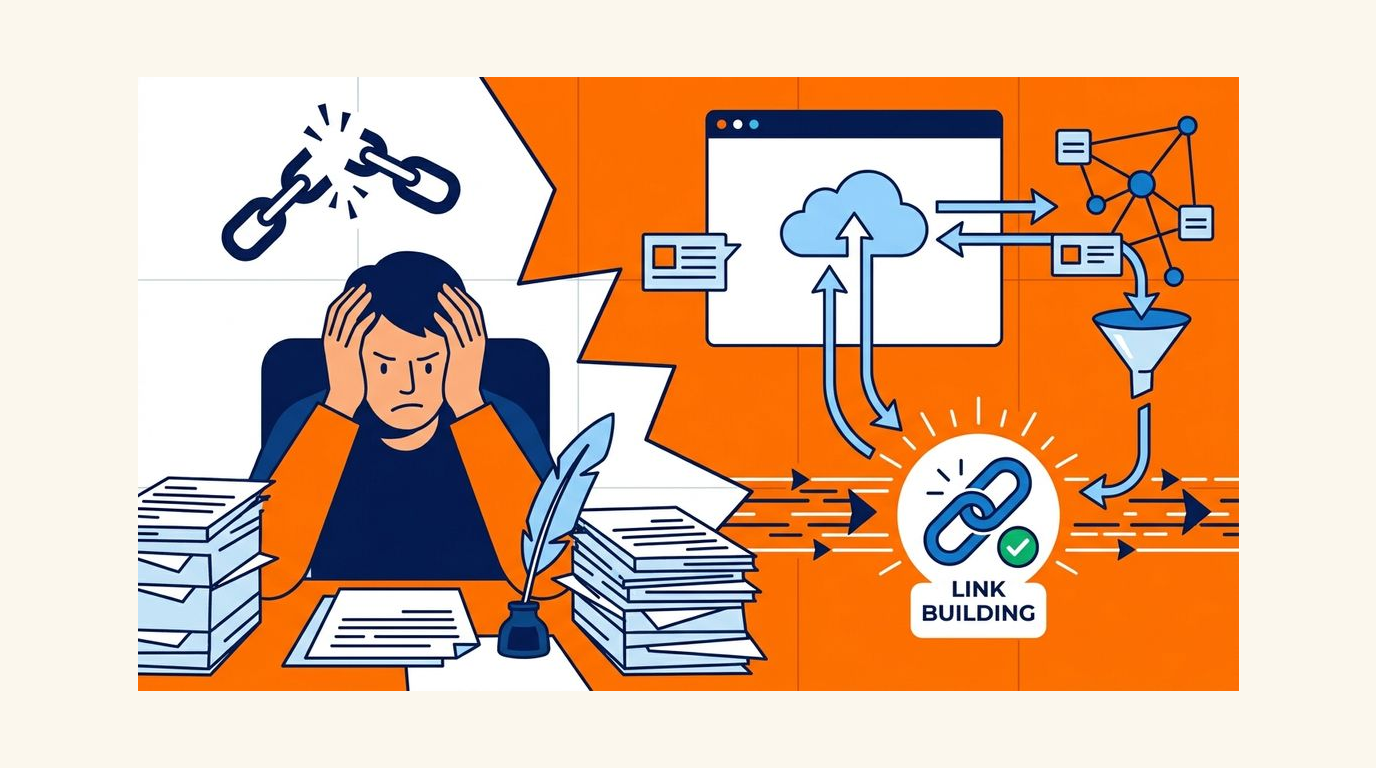
What automation should handle vs what humans should keep
The clearest rule I've found: if the action affects your reputation or involves money, keep a human in the loop. Everything else is a candidate for automation.
That means automation handles the repeatable, low-stakes work. Humans handle the judgment calls.
The split in practice
| Task | Automate | Keep Human |
|---|---|---|
| Prospect discovery | ✓ | |
| Contact enrichment | ✓ | |
| First-draft outreach copy | ✓ | |
| Follow-up sequences (2 to 3 touches) | ✓ | |
| Link monitoring and alerts | ✓ | |
| Pitch quality review before send | ✓ | |
| Pricing and editorial negotiation | ✓ | |
| Payment approval | ✓ | |
| Final placement decision | ✓ | |
| Anchor text approval | ✓ |
The tools that get teams penalized are the ones that skip the human review gates, not the ones that automate prospecting. Automation is a capacity multiplier. It's not a replacement for judgment.
If an automated action can get you penalized by a search engine or damage a relationship with a publisher, it should not run without a human sign-off.
The safest automated link-building workflow for SaaS teams
A scalable workflow is a controlled pipeline with checkpoints. Here's the structure that works without creating risk.
Phase 1: Extraction
Start by selecting 3 to 5 target pages. These should be pages that already convert or support key commercial themes — not blog posts you published last week. Pull competitor backlink data, resource page URLs, and unlinked brand mentions into a single prospect list. Aim for 150 to 300 raw prospects per target page before filtering.
Phase 2: Enrichment
Run the raw list through contact enrichment to find editor emails, verify domain health, and filter out sites with a spam score above 30% or a domain rating below 20. This step cuts the list by roughly 40 to 60% before a single email goes out. That's the point. Fewer, better targets beat a bloated list every time.
Phase 3: Execution
Draft outreach with an LLM-assisted template, then review each pitch before it sends. Schedule a 3-touch follow-up sequence with gaps of 5 days, 7 days, and 10 days. Once a placement is confirmed, log the URL, verify it's live and indexed, and set a monitoring alert. The verification step is not optional — it's part of the workflow, not an afterthought.

Prospecting systems that find better link opportunities faster ⚡
More prospects are not better prospects. A list of 500 marginally relevant sites will produce worse results than a list of 80 sites with genuine topical fit and realistic editorial access.
Four sources worth prioritizing
- Competitor backlink gaps work well. Export the referring domains linking to 2 or 3 competitors but not to you, then filter for topical relevance before anything else. You might also find our guide on How to Find Keyword Gaps Competitors Miss: A Sa... helpful.
- Resource pages are underused. A page that already links to 10 SaaS tools in your category is far more likely to add yours than a generic blog post. We cover this topic in more depth in Ranking vs Clicks: Why SaaS Pages Need More Tha....
- Niche roundups and listicles are fast wins. If a post ranks for "best [category] tools" and you're not on it, that's a warm outreach target with a clear ask.
- Unlinked mentions are the easiest yes. The site already knows you exist. You're asking them to add a link, not introduce themselves to a stranger.
Filtering before outreach
Before any prospect enters your outreach queue, run a quick 3-point check: Does the site publish content in your category? Has it published something new in the last 90 days? Does it have at least 1 real editorial contact you can reach? Tools that automate this enrichment step can cut prospecting time from 4 hours to under 45 minutes per campaign.
The best link targets usually look narrow, relevant, and already link-friendly. A wide net catches more junk than it catches wins.
Personalization at scale without sounding automated
The goal isn't to hide that you used a template. The goal is to make the email feel specific enough that the recipient believes you actually read their site. Those are different things.
What LLM-assisted drafts actually do well
A good LLM draft gives you a solid structure in 30 seconds: an opener that references a specific post, a clear ask, and a one-sentence value prop. What it won't do is notice that the site changed its editorial policy 3 months ago or that the editor just left. That's the human edit.
Modular templates that stay fast
Build your templates in modular blocks: a variable opener (references a specific URL or data point from their site), a fixed middle (your ask and why it fits), and a variable closer (ties back to their audience). Swap the opener and closer per prospect. Keep the middle tight — under 40 words. AI-assisted outreach that anchors each pitch to a real page detail reliably outperforms generic templates in response rate.
What to anchor the pitch to
- A specific post they published with a gap your content fills.
- A broken link you found on their resource page.
- A data point in their content that your research updates or expands.
- A tool they recommend that pairs naturally with yours.
Each of these gives the recipient a reason to read past the first line. Generic "I love your content" openers don't.
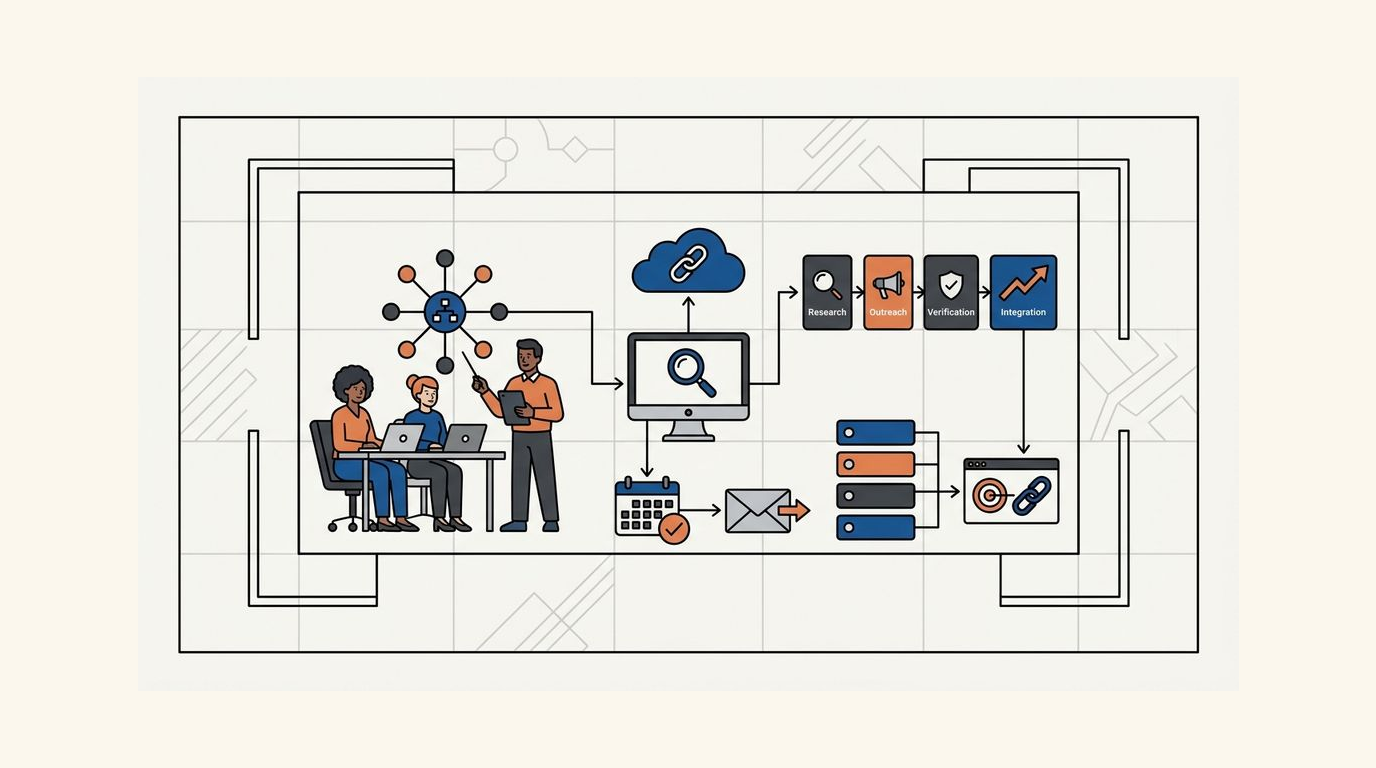
Verification, reporting, and quality control 🔍
A backlink that disappears is not a backlink. Placement confirmation is step one. Ongoing monitoring is step two. Most teams do step one and skip step two entirely.
What to verify at placement
- Confirm the page is live and indexed within 48 hours of the promised publish date.
- Check that the link points to the correct target URL, not the homepage.
- Verify the link attribute matches what was agreed: dofollow, nofollow, or sponsored.
- Confirm anchor text matches the approved version, not a generic "click here."
What to track in reporting
Track referring domains, not raw backlink counts. A site that links to you from 12 different pages still counts as 1 referring domain. Referring domain growth is a more reliable signal of authority accumulation than total link count. Report on new referring domains added per month, lost referring domains per month, and the ratio of dofollow to nofollow placements.
Ongoing monitoring cadence
Set automated alerts for link drops at least once every 14 days. A placement that was live in month 1 may be gone by month 3 due to site redesigns, content pruning, or editorial changes. Teams running large-scale SaaS link programs typically monitor placement health on a 2-week cycle to catch losses before they affect domain metrics. If you're running this in-house, a weekly crawl of your tracked URLs is a realistic minimum.
Tool stack and rollout plan for small SaaS teams 🛠️
You don't need 8 tools to run an automated link-building program. You need 4 categories covered: research, enrichment, outreach, and monitoring. Start with one tool per category before you add complexity.
A lean starting stack
- Research: Ahrefs or Semrush for competitor backlink exports and gap analysis. Either works; pick one and stay consistent.
- Enrichment: Hunter.io or Apollo for contact finding and email verification. Filter for deliverability before any sequence starts.
- Outreach: Instantly or Lemlist for sequenced email with follow-up automation. Cap sends at 30 to 50 per day per domain to protect sender reputation.
- Monitoring: Ahrefs Alerts or a dedicated tool like LinkChecker.pro for placement tracking and loss detection.
Rollout in stages, not all at once
Teams that automate the full pipeline in week 1 typically hit deliverability problems and quality issues within 30 days. A better approach: automate prospecting and enrichment in weeks 1 and 2. Add outreach automation in week 3 after you've reviewed 20 to 30 pitches manually. Add monitoring in week 4 once the first placements start coming in.
Which pages to prioritize first
Target pages that already rank in positions 8 to 20 for high-intent keywords. These pages are close enough to page 1 that 5 to 10 new referring domains can move them. Pages that don't rank at all need content work first. Automation works best when the target pages are already strong enough to deserve the links.
When to stop automating and hire help
Automation handles repetition well. It handles exceptions poorly. Know the difference.
Signs you need human support
- Your campaign requires PR relationships or negotiated content partnerships where a real conversation matters.
- Response rates drop below 3% and you can't diagnose why from the data alone.
- Your team can't maintain QA on outgoing pitches because volume has outpaced review capacity.
- You're targeting high-DR publications where a wrong approach causes lasting damage to future access.
Hire for exceptions, automate the repetition
A freelance link builder or a specialist agency makes sense when the work requires judgment that doesn't fit a template. B2B SaaS link-building agencies typically operate at price points between $2,000 and $8,000 per month, which is worth comparing against the internal time cost of running a manual program at low throughput. The math often favors a hybrid: automate the pipeline, hire for the high-value placements.
Automation is a capacity multiplier. Hire for the exceptions that require relationships and judgment, then let the pipeline handle the rest.
Frequently Asked Questions
Is automated link building safe for SEO?
It depends entirely on what you automate. Automating prospecting, enrichment, and follow-up sequences is safe. Automating link placement decisions, anchor text selection, or payment without human review creates real penalty risk. The safest programs keep humans on every decision that affects editorial quality or money.
How many links per month should a SaaS team aim to build?
A useful heuristic: 10 to 20 new referring domains per month is a competitive pace for most SaaS companies targeting mid-difficulty keywords. Early-stage teams might start at 5 to 8 per month and scale from there. Raw link count matters less than the topical relevance and authority of the referring domains.
What's the difference between referring domains and backlinks?
Backlinks count every individual link. Referring domains count each unique site that links to you. If one site links to you from 15 pages, that's 15 backlinks but 1 referring domain. Referring domain growth is the more meaningful metric for tracking authority, since search engines weight unique site diversity heavily.
How long before automated link building shows results in rankings?
In my experience, you typically see movement in positions 8 to 20 within 6 to 12 weeks of consistent placement at 10 or more new referring domains per month. Pages already on page 2 respond faster. Pages not yet ranking need content improvements alongside the link program to see meaningful movement.
Can a two-person SaaS team run this without a dedicated link builder?
Yes, if the pipeline is properly automated. Prospecting and enrichment can run largely unattended once configured. Outreach review takes roughly 30 to 60 minutes per week at moderate volume. The real time cost is setup: expect 8 to 12 hours in week 1 to configure the stack and build your first prospect list.
Ranksector
Start with Ranksector's 90-day automated link-building playbook to map your first pipeline from prospect list to verified placement. See how Ranksector breaks down each phase with real workflow templates you can deploy this week.