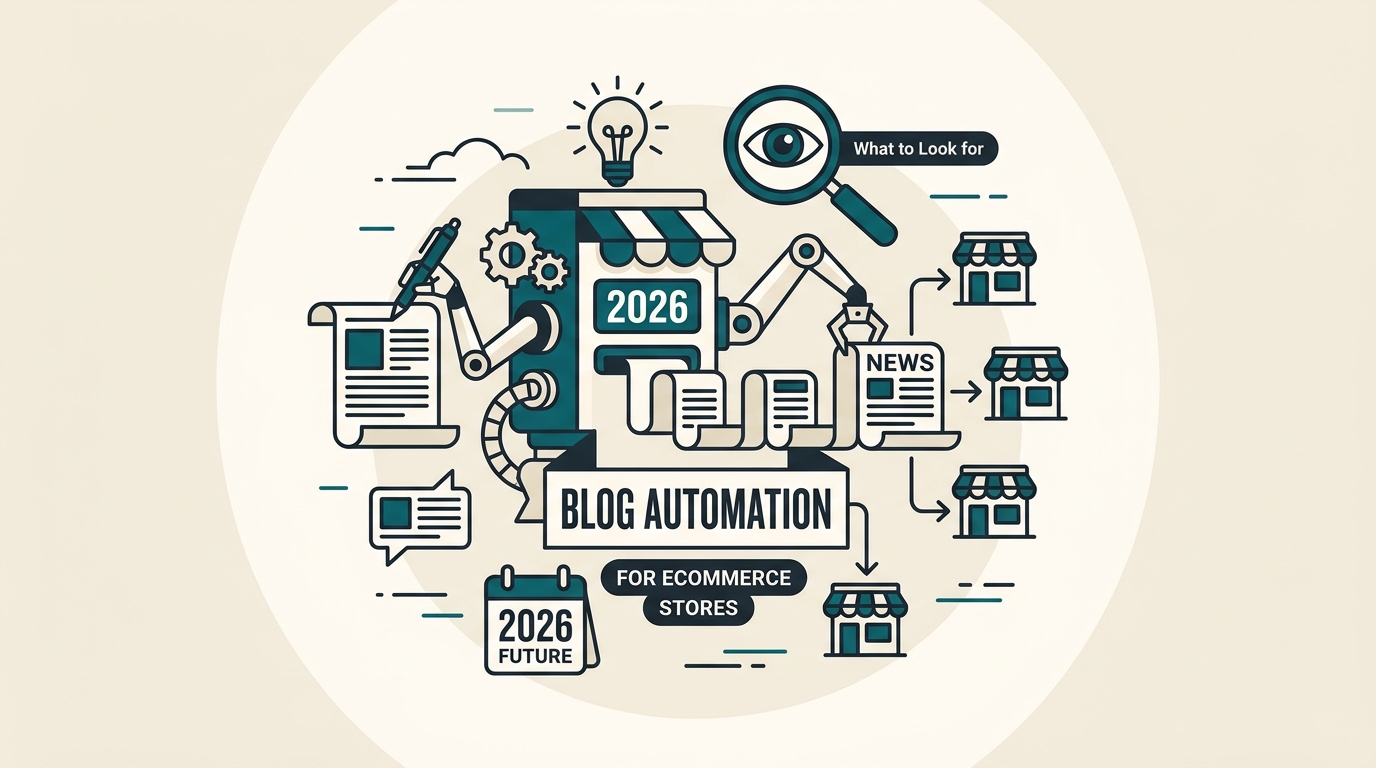
Blog Automation for Ecommerce Stores: What to Look for in 2026
You run a 500-SKU Shopify store. Your content calendar has 12 blog posts planned for Q1. Your copywriter finished 3. It's March. The other 9 are still briefs in a Google Doc, each one waiting for someone to connect the product data, write the draft, add the internal links, optimize the metadata, and hit publish. That's not a content problem. That's a workflow problem.
Blog automation for ecommerce stores sounds like the fix. And it can be. But the market is full of AI writing tools that generate generic 800-word posts with no product context, no catalog awareness, and no path to your CMS. Buying the wrong one costs you 3 to 6 months of wasted budget and a blog full of content that ranks for nothing.
This guide is a buying framework, not a tool list. It tells you what features matter in 2026, what to keep human, and how to run a real evaluation before you commit.
Why ecommerce blog automation differs from generic AI writing
The manual workflow most stores still run
A typical ecommerce blog post takes 4 to 6 hours from brief to publish. That includes keyword research, drafting, product selection, internal linking, image sourcing, metadata writing, and CMS upload. For a store publishing 8 posts per month, that's 32 to 48 hours of production time. Most teams don't have that capacity.
Generic AI writing tools cut the drafting step. They don't touch the rest. You still paste content into your CMS manually. You still add product links by hand. You still write your own meta descriptions. The tool saved you 90 minutes and left you with 4 hours of cleanup.
That's the gap. Real blog automation for ecommerce stores connects keyword research, draft generation, product linking, and CMS publishing into a single workflow, not a single step.
Why catalog context changes everything
A buying guide for 'best running shoes under $100' is useless if it doesn't reference the actual products you sell. Generic AI tools write about the category. Ecommerce-specific tools write about your catalog. That distinction drives whether the post converts or just ranks.
If a tool can't pull product data, titles, prices, or SKU-level attributes into the draft, you will spend 30 to 45 minutes per post adding that context manually. Across 40 posts a year, that's 20 to 30 hours of work the tool was supposed to eliminate.
If your blog tool can't connect to your catalog, it's not really ecommerce automation. It's a faster word processor.

What tool guides miss
Feature lists without evaluation criteria
The current search results for ecommerce blog automation are dominated by roundup posts: '15 best AI tools for ecommerce content' with a logo grid and a paragraph per tool. As ObsessAI's tool guide shows, Shopify-specific positioning and catalog sync are useful differentiators. But the guide doesn't tell you how to test those claims before buying.
Roundups skip the operational questions. Can the tool update existing posts, or only generate first drafts? Does it support approval workflows for teams with 3 or more stakeholders? Can it publish to a subdirectory blog or only to a Shopify native blog? These details determine whether the tool fits your workflow or fights it.
The missing decision layer
As ITDelight's automation breakdown points out, knowing what to automate matters as much as knowing which tool to use. The gap in buying guides is a clear framework for matching tool capabilities to your actual workflow depth. That's what this article covers.
A flashy AI writer is easy to find. A blog automation workflow that fits ecommerce is harder to build, and worth more when you get it right.
Must-have features in a blog automation tool for ecommerce
CMS and Shopify publishing integration
Direct publishing is non-negotiable. A tool that exports a Word doc or a Google Doc is not automating your workflow. It's automating your drafting. You want a tool that pushes a finished, formatted post directly to your Shopify blog, WordPress install, or headless CMS without a copy-paste step in between.
Check whether the integration supports draft status, scheduled publishing, and category or tag assignment. A tool that publishes everything as 'live' with no scheduling option creates more editorial risk than it removes. ObsessAI's Shopify launch is a useful reference point for what direct CMS publishing looks like in practice.
Product-catalog integration and auto-linking
This is the feature that separates ecommerce tools from general AI writers. Catalog integration means the tool can pull product names, descriptions, prices, and URLs from your store and weave them into the draft automatically. Auto-linking means it inserts those product URLs into the post without manual intervention.
Without this, a 1,500-word buying guide might mention 6 to 10 products. Adding links manually takes 15 to 20 minutes per post. Over 50 posts a year, that's 12 to 16 hours of link work the tool should be doing for you.
SEO controls that go beyond keyword insertion
A blog automation tool for ecommerce needs more than a keyword field. You want control over title tag length, meta description, heading structure (H1 through H3), and schema markup for product-related content. As BigCommerce's ecommerce automation overview notes, SEO governance across large catalogs is one of the highest-leverage automation targets available to store operators.
- Title tag and meta description fields should be editable before publishing, not locked by the tool's output.
- Heading structure should follow a logical H1-H2-H3 hierarchy automatically, not require manual reformatting after generation.
- The tool should support keyword targeting at the brief level, not just stuff the keyword into the first paragraph.
- Internal link suggestions should come from your actual site architecture, not generic anchor text patterns.
Editorial controls and brand voice
Generic AI output is recognizable. Readers notice it. So do search quality evaluators. A tool without brand voice controls will produce content that sounds like every other AI-generated post in your niche. That's a conversion problem as much as an SEO problem.
Look for tools that let you upload brand guidelines, set tone parameters, and lock certain phrases or product claims. Approval workflows matter here too. If your team has a compliance or legal review step, the tool needs to support draft-hold states before publishing goes live.

What should stay human in the workflow
Strategic keyword selection
AI tools can suggest keywords. They should not choose your content strategy. Keyword selection requires understanding your margin by category, your seasonal priorities, your competitor gaps, and your internal linking architecture. A tool that auto-selects topics based on search volume alone will send you chasing traffic that doesn't convert for your specific catalog.
Spend 2 to 3 hours per quarter on keyword cluster planning. That investment shapes the next 90 days of automated output. Skip it, and your blog fills up with posts that rank for terms your customers don't buy from.
Final accuracy and offer review
AI makes up prices. It invents product specifications. It describes features that don't exist in your catalog. A final human review before every publish is not optional for ecommerce. One post with a wrong price or an outdated product claim creates customer service tickets, refund requests, and trust damage that takes months to repair.
Automate the draft. Don't automate judgment. The 10 minutes you spend on a final review before publishing is the cheapest quality control in your workflow.
A useful review checkpoint covers four things: product accuracy, keyword intent match, working links, and conversion angle. That's a 10-minute read, not a full rewrite. Build it into the workflow as a non-negotiable step, not an optional polish pass.
Compliance and legal review for regulated categories
If you sell supplements, skincare, medical devices, or anything with health or safety claims, no AI tool should be your final editor. Regulatory language requires human sign-off. A tool that auto-publishes in these categories creates liability, not efficiency.
How to evaluate tools before you buy
Run a real test, not a demo
Most tools offer a 7-day or 14-day trial. Use it to run one complete cycle: pick a real product from your catalog, write a brief for a 1,200-word buying guide, generate the draft, review it, and try to publish it directly to your CMS. Time the whole process. If it takes more than 45 minutes end-to-end, the tool is not saving you enough time to justify the cost.
As CommercePundit's automation ideas list suggests, the fastest wins come from content that already matches products you sell. Test the tool against a product with clear attributes and a defined buyer intent, not your most complex SKU.
Score tools on five dimensions
| Dimension | What to check | Red flag |
|---|---|---|
| Integration depth | Direct CMS and catalog sync | Export-only output |
| SEO features | Editable metadata, heading control, schema support | Keyword stuffing, no meta fields |
| Editorial controls | Brand voice, approval workflow, draft editing | Locked output, no revision mode |
| Publishing flow | Scheduled publish, draft status, category tagging | Live-only publishing, no scheduling |
| Scalability | Handles 50+ SKUs, supports team collaboration | Single-user only, no bulk generation |
Check for update support, not just first drafts
A tool that only generates new posts is half a solution. Ecommerce blogs go stale fast. Product lines change, prices shift, seasonal angles expire. You need a tool that can flag outdated posts and regenerate or update sections without rebuilding the whole article from scratch. If the tool doesn't support updates, your 6-month-old content becomes a liability, not an asset.

Best-fit use cases by store type
Shopify-first brands with active product launches
If you launch 4 to 8 new products per month, a blog automation tool with direct Shopify integration pays for itself within the first 30 days. Each launch needs a buying guide, a comparison post, and at least one supporting article. That's 12 to 24 posts per month from product activity alone. Manual production can't keep pace. Automation can.
The Smarketers' 2026 AI tool roundup highlights how ecommerce teams are using AI across channels, but the blog use case has the clearest ROI for stores with frequent launches because every saved step compounds across a growing catalog.
Catalog-heavy stores managing 200 or more SKUs
A store with 500 SKUs and no blog automation is leaving traffic on the table for every product that lacks supporting content. Buying guides, comparison posts, and how-to articles drive organic discovery for products that can't rank on product page alone. Automation makes it feasible to cover 20 to 30 product clusters per quarter instead of 4 to 6.
Small teams that need end-to-end automation, not just drafting
A two-person marketing team can't afford a tool that only speeds up one step. They need the full chain: brief to draft to product links to metadata to publish. If the tool requires 3 manual handoffs, it's not built for a lean team. Prioritize workflow depth over feature count when your team is under 5 people.
A practical setup for turning products into blog traffic
Start with one keyword cluster and one product collection
Don't try to automate your entire blog in week 1. Pick one product category, identify 5 to 8 keyword targets within it, and run your first batch of posts through the tool. Measure the output quality, the time saved, and the publishing friction before scaling. A useful heuristic: if the first 5 posts take less than 3 hours total to produce and publish, the workflow is ready to scale.
Build a repeatable 30-day workflow
- Week 1: Build your keyword cluster for the month. Identify 8 to 12 target topics tied to your active product collections.
- Week 2: Generate drafts in batches of 4. Review each for accuracy, intent match, and product link correctness before scheduling.
- Week 3: Publish on a 2 to 3 post-per-week cadence. Monitor index status and early click data after 48 hours.
- Week 4: Review performance on posts from the previous month. Flag any that need updates, redirects, or consolidation.
Use blog posts to support product discovery and internal linking
Every blog post should link to at least 2 to 3 product pages and 1 to 2 category pages. That's not just an SEO move. It's a conversion path. A reader who lands on a buying guide and clicks through to a product page is 3 steps closer to checkout than one who lands on a product page cold. Build that path into every brief before generation, not as an afterthought during review.
For metadata, don't let the tool auto-publish whatever it generates. Review every meta description before the post goes live. After AI Overviews, the meta description does real work in search results.
The fastest wins come from content that already matches products you sell. Start there, not with the broadest keyword in your niche.
Frequently asked questions
Will automated blog content hurt my SEO?
Not if it's accurate, relevant, and reviewed before publishing. Generic AI content with no product context and no editorial review is a risk. Ecommerce-specific automation that connects to your catalog and passes a human review checkpoint is not. The quality bar is the same as manually written content: does it answer the reader's question and support a purchase decision? If yes, it works.
How long does it take to see results from an automated blog?
In my experience, the first 8 to 12 posts need 6 to 10 weeks to start showing meaningful impressions in Search Console. Ecommerce buying guides targeting mid-tail keywords often see initial ranking movement within 4 to 6 weeks. Don't judge the system on week 2. Judge it on month 3, after you've published consistently and Google has crawled the full batch.
Does blog automation work for stores on platforms other than Shopify?
Yes, but integration depth varies. Shopify has the most native support across current tools because of its API maturity and market share. WordPress with WooCommerce is the second most supported. BigCommerce and headless setups often require custom API connections or middleware. Check integration documentation before buying, not after. A tool that supports Shopify natively may require 2 to 3 weeks of developer time to connect to a headless stack.
How much time does blog automation save?
A useful heuristic: end-to-end automation with catalog integration and direct CMS publishing cuts per-post production time from 4 to 6 hours to 30 to 60 minutes, including human review. That's a 75 to 85% reduction in production time per post. The savings compound as your catalog and content volume grow. A store publishing 10 posts per month recovers 30 to 45 hours of team capacity per month at that rate.
What's the biggest mistake stores make when buying a blog automation tool?
Buying for drafting speed and ignoring publishing workflow. A tool that generates great drafts but requires manual CMS upload, manual product linking, and manual metadata entry is still a 3-hour process per post. The time savings are in the full chain, not just the writing step. Evaluate the entire workflow before you sign up, not just the output quality of the demo content.
Ranksector
Try Ranksector to connect your keyword clusters, product catalog, and CMS publishing into one repeatable workflow. Start with one product collection, generate your first batch of posts, and see how much production time you recover in the first 30 days.